
Logitech G613 Keyboard Is Ahead of the Game

One keyboard will work with both Windows and Macs

The Logitech G613 keyboard will connect to all your devices wirelessly and even has programmable keys. It has a nice, tactile feel, and its batteries will last for more than a year. It’s perfect for both gamers and non-gamers alike.

First off, I’m not a gamer. So why did I buy a gaming keyboard? Glad you asked.

I have both a Windows PC and a MacBook Air, and I wanted to share a keyboard between them. My options were limited to the Logitech line of keyboards. I like Logitech products. Their mouse models and keyboards are built well and are reasonably priced and there many of both to choose from, each offering tools for specific tasks. I also use a Logitech Harmony TV remote.

A tech support person picked up on the first ring, and when I told him what I needed, he gave me a choice of several keyboards, but recommended one that I ultimately bought. I’m using the keyboard as I write this review.  It’s called the G613, and it costs only $70 on Amazon.com. That’s a bargain for what you get.

The G613 has buttons for Bluetooth, wireless and gaming modes on the top of the keyboard. When I work on my Windows PC, I press the wireless button, and it connects immediately to the Dell. Press the Bluetooth button and I can use the same keyboard with my MacBook Air. I have another solution for dual use of the keyboard. If you don’t need to use two computers, the keyboard also comes with a device that plugs into a USB port. The keyboard isn’t tethered to the computer, unlike the dasKeyboards.

The G613 is full-size, which means it has numbers on the right side. The layout is the standard QWERTY, with an enter key on the far right of the keyboard.

There are six programmable keys on the left size of the keyboard. Gamers might appreciate them, and so might other users. Except I couldn’t make them work.

The app itself, called G Hub, doesn’t have a help function, and the online manual was so confusing, I gave up on the programmable keys altogether. The feature is supposed to do such tasks as record keystrokes, launch applications and more. It does have pre-programmed tasks such as launch Windows task bar, but who needs that, when all you have to do his type control-alt-delete to get there. But I didn’t buy the keyboard for programmable keys.

The keys have a solid tactile feel. You know you’re typing, but it’s not as loud as the keys on the dasKeyboard. The Logitech keyboard is heavy enough to keep it from bouncing on my computer desk. It uses two AA batteries which are still going strong after eight months of use. And the keyboard has a sloped wrist rest that makes typing easier.

I never thought I’d get a gaming keyboard, but technology is full of useful surprises.

Pros

  • Works with both Windows and Mac
  • Wireless and Bluetooth choices
  • Tactile keyboard
  • Just heavy enough to keep it from moving
  • Reasonably priced

Cons

  • Software is difficult to figure out
  • Wrist rest isn’t removable

Summary
A gaming keyboard that works on both Mac and Windows, and you don’t have to be a gamer to appreciate it.

Tech Specs
Logitech G613 keyboard
Dell XPS 8930 (32 Gigs RAM) running Windows 11
MacBook Air (2020) running Mac OS Monterey (12.0)


CyberPower to the Rescue

An essential backup battery when lights go out

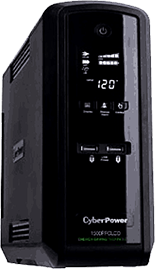
Short of buying my own generator, which would keep the refrigerator going but not much else, there is a solution that would at least keep my PC from turning off in mid-sentence and keep my cable modem going for a few hours. It’s called an uninteruptable power supply, or UPS. It’s a table-top battery and surge protector that the PC and cable modem are plugged into. It takes over when the lights go out.

A backup battery is essential when the lights go out

UPS delivers power

Living in a large city, I watch as the lights often flicker, a prelude to a full-blown power outage. In summer months, when electricity usage is high, as people run air-conditioners at full blast, it’s not unusual to have brownouts, when the grid is strained. Hospitals have backup generators; even the neighborhood market uses its generator when power is out. The city where I live isn’t in a Third World country, but when the lights go out, it sure seems like it is.

Short of buying my own generator, which would keep the refrigerator going but not much else, there is a solution that would at least keep my PC from turning off in mid-sentence and keep my cable modem going for a few hours. It’s called an uninteruptable power supply, or UPS. It’s a table-top battery and surge protector that the PC and cable modem are plugged into. It takes over when the lights go out.

There are several UPS devices on the market, including ones made by Tripp-Lite, APC and CyberPower, to name just a few. All do the same thing, but some have more bells and whistles than the others.

 I chose the $150 CyberPower because it has a high rating on Amazon, and for its capacity. There are consumer and office models that have capacities ranging from 30 minutes of backup reserve to nearly two hours. The battery itself keeps charging as long as it is plugged in to the wall outlet.  The unit has five outlets that connect to the battery and are surge protectors.

The CyberPower comes with monitoring software for both Windows and Macs that’s entertaining to look at, but doesn’t do much. The lights on the front panel of the UPS give a running prediction of how long the battery will last, and I especially like the CyberPower because the annoying beeps that otherwise would sound when the unit goes into full swing can be muted. The CyberPower comes with a three-year warranty, and there are replacement batteries available for as little as $30, depending on the UPS model you choose.

Most of the low- to mid-range UPS batteries are designed for one user. Bigger-capacity UPS batteries are available for larger offices.

Whether you live in a Third World city or one where power lines go down during a blizzard or ice storm, a UPS will keep you up and running just long enough to keep your wireless cable modem going and your smartphone charged. But be aware: UPS batteries are heavy and eventually their charge will wear down until the power comes back, and when they do run out of juice , you’ll  still be left in the dark.

Pros

  • Dependable backup power.
  • Quiet, with status lights that show your reserves.

Cons

  • Heavy
  • Replacement batteries are expensive.

Summary
A battery backup is essential to keep your electronics up and running when your grid shuts down.

Tech Specs
Cyberpower 1000va

Nuance Dragon Pro Knows What You’re Talking About

Dictate instead of typing

broken too many times. It ain’t pretty. I mention this not to elicit sympathy, but to show how Dragon Professional, the dictation-to-text software, adapted to my voice. I’m using Dragon to write this column.

Dictate instead of typing

I have a cold; I sound like a punch-drunk boxer from the Bronx whose nose has been broken too many times. It ain’t pretty. I mention this not to elicit sympathy, but to show how Dragon Professional, the dictation-to-text software, adapted to my voice. I’m using Dragon to write this column.

Dragon has heard it all

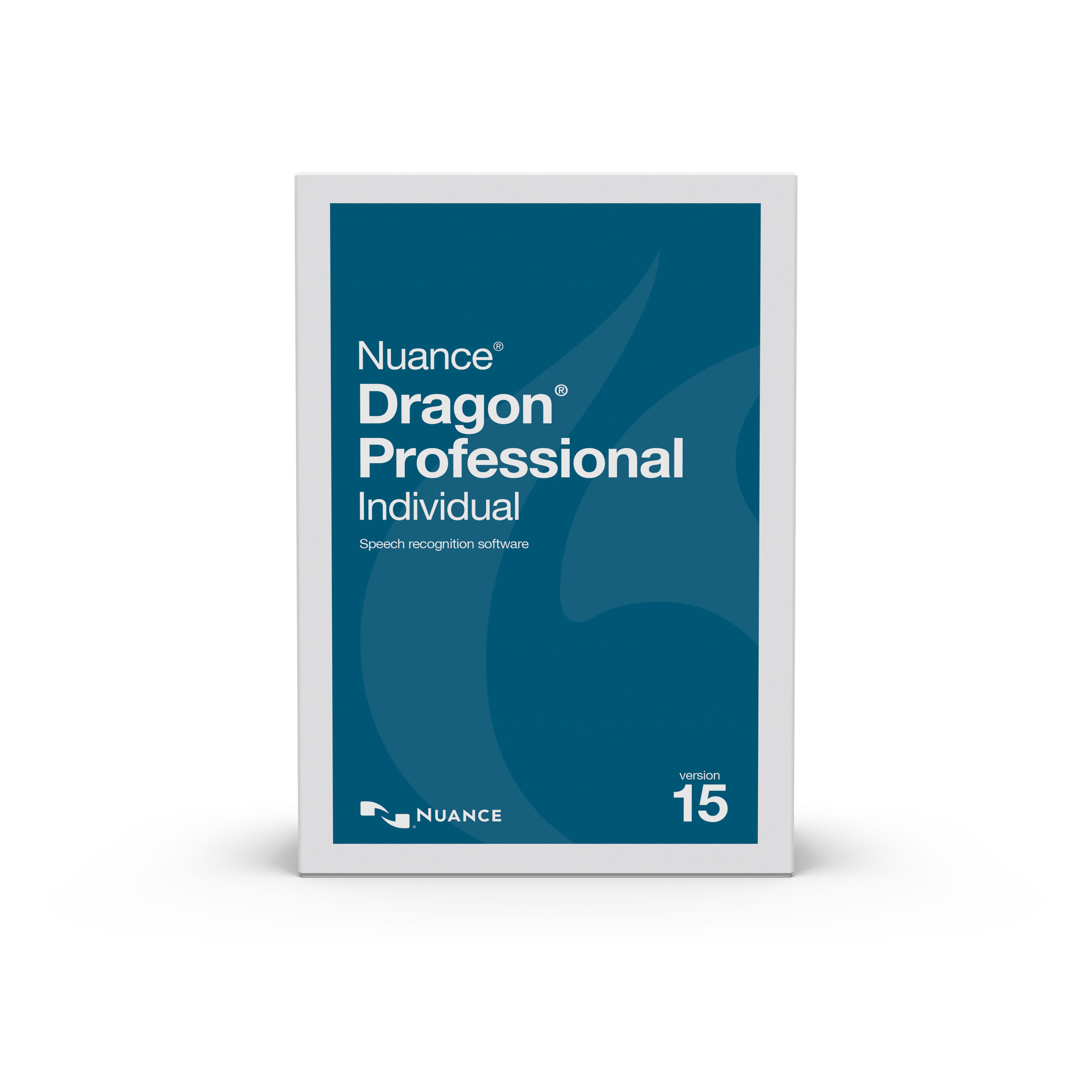
It’s been a few years since I wrote about Dragon Naturally Speaking. Its accuracy has improved in Version 15, noticeably, even with my stuffed nose and scratchy-throat voice commands.

Here’s how it works.

You choose a dialect, such as British English, in which “color” becomes “colour” when it appears in a Microsoft Word or other Windows document.  I chose the standard U.S. dialect, which in previous versions adapted quite nicely to my normal Minnesota-Scandinavian lilt. A very brief voice-training exercise follows. In earlier versions, voice training could take an hour or more; in the latest version it takes a few minutes. If a voice profile was set up in a previous version of Dragon, it can be imported. I created a new profile so I could measure Dragon’s accuracy with my stuffed sinuses in mind.

A short interactive tutorial hits the high points of the software. Help is contextual, focusing on how-to’s to supplement the initial tutorials.  For example, I learned the hard way that the microphone, in this case a Nuance-approved Plantronics ($25 on Amazon), captures “uh” and “er” and inserts the sounds perfectly into my word-processing software. To avoid those pauses, it’s best to think about what you want to say before you search for the right words. If the right word has to do with quantum physics, Dragon can be taught technical terms by the user inserting them in its dictionary. The technical word can either be spelled out verbally or by typing it directly into Dragon.

A good typist can produce perhaps 50 words a minute – probably with typos. With Dragon, you can dictate 150 words a minute, and it will keep up with you. Typos will be few. As long as you keep talking, Dragon hears your conversation and transcribes it.

Editing commands are easily learned; going back to correct grammatical errors, for example, doesn’t require moving the cursor. Formatting [“bold ‘require’ ”] is straightforward.

Commands are easy to learn. To get to a new paragraph [comma], you need only tell Dragon to insert a paragraph or a new line or end a sentence with a period. It automatically starts the new sentence or paragraph with a capital letter. If you want to change a phrase, just say “scratch that,” which I’m doing very frequently as I write this column [exclamation point]! If Dragon doesn’t understand a word or term and you correct it, the program will learn from its mistake and type it accurately the next time you use the word or term.

Dragon also has a transcription feature that takes material you’ve dictated into a smartphone or voice recorder and types it in a document. A smartphone app, Dragon Anywhere ($15 a month), lets you dictate material as if you were in front of a computer. It then exports the audio into a document.

Other audio – a president’s farewell speech or a podcast, as examples – can be transcribed easily by exporting them into Dragon. A police officer in the field can create custom forms that can be transcribed later, along with a narrative of the case. For example, a man is stopped on suspicion of drunken driving. The officer dictates his name, address, etc., into a form he’s created, along with a description of the event. It saves time back at the precinct.

When I want to launch Word, Dragon does it for me. Composing email is a challenge at first, but soon enough it becomes indispensable. Just by saying “tab,” it will jump from field to field. Boilerplate signatures containing contact information such as email address and phone number can be inserted once Dragon is taught to do so. Calling up a browser is a simple as saying, Launch Chrome.” Directing it to a website involves only dictating where you want to browse. It learned quickly that I spend a lot of time and money on Amazon.

A word of caution: A red virtual microphone icon sits atop the desktop. Click on it, and the mic turns on. But don’t forget to tell it to turn off when you’re not dictating. I received a phone call in the middle of writing this column, and Dragon figured my end of the conversation was something to transcribe, so there was a whole section of the conversation in the middle of the column.

How accurately has it handled dictation for this column? Dragon can only transcribe what it hears. Even with my stuffy nose, it was impressively accurate. The Dragon folks at Nuance, which makes the program, say under normal conditions, it’s almost 99 percent accurate. Except for a few cold-related exceptions, words in my column are spelled correctly. Paragraphs are in the right places. When I recover from my cold, I’ll create a new voice profile, for comparison. About the only thing Dragon can’t do is improve on content. It’s not a miracle-worker.

Dragon Professional costs $300 for either the Mac or Windows version.  Versions for medical settings, lawyers and law-enforcement personnel also are available. A basic edition for home and student use costs $100. More information: http://www.nuance.com.

MacBook Air vs. Dell XPS: Battle of the Lightweight Laptop Heavyweights

If you want an innovative laptop-tablet, Dell has it

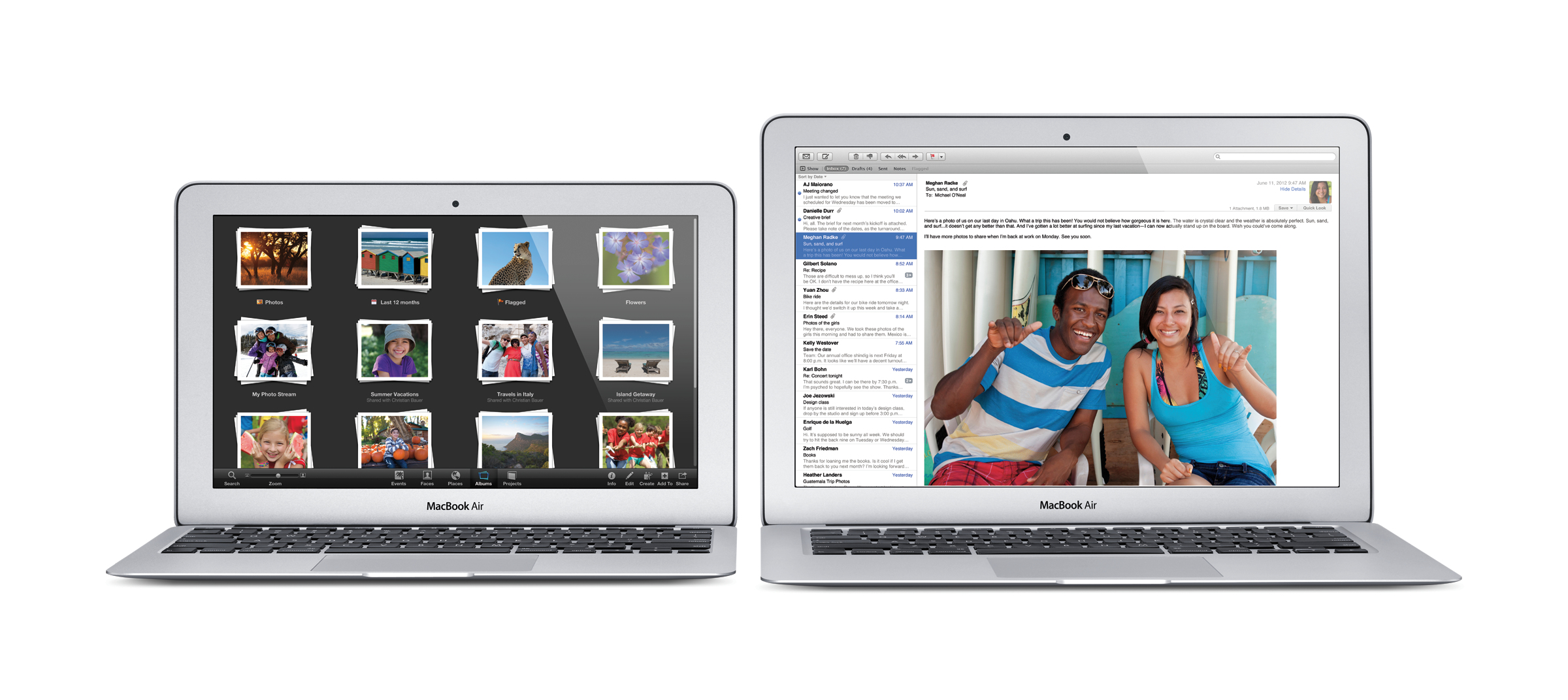
For several years I’ve gushed to friends over my MacBook Air. Light, stylish and fast, the Air satisfied  most of my mobile needs. But like other Apple products, it’s not cheap. The 13-inch model I have costs $1,200, with a 256-gigabyte solid state hard drive and 8 gigs of RAM. Its display is nothing short of breathtaking. The keyboard is backlit and the touch pad is sensitive.

All roads still lead to Apple; Dell is very close behind

After all the back and forths, the MacBook Air with the M1 chip is my favorite laptop, although the Dell XPS comes very, very close. Both weigh in at less than 3 pounds.

For several years I’ve gushed to friends over my MacBook Air. Light, stylish and fast, the Air satisfied  most of my mobile needs. But like other Apple products, it’s not cheap. The 13-inch model I have costs $1,000, with a 256-gigabyte solid state hard drive and 8 gigs of RAM. Its display is nothing short of breathtaking. The keyboard is backlit and the touch pad is sensitive.

the Apple Air ran for nearly 10 hours on a charge.

But it doesn’t have a touch screen. Apple has introduced a sorta, kinda touch screen in its high-end MacBook Pros, but it’s not your teen-age son’s touch screen.

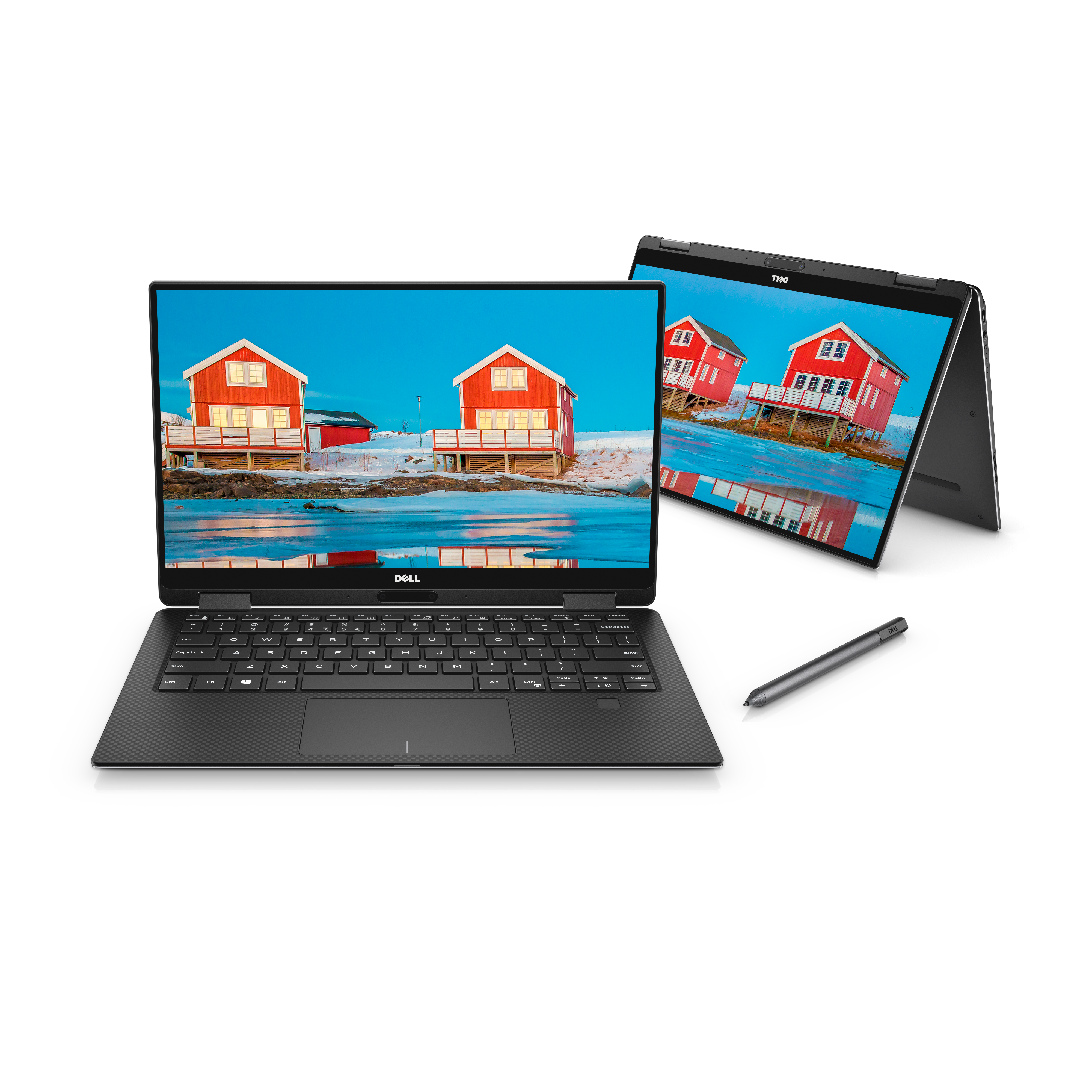
I like touch screens, but my budget is limited. On a visit to Dell.com I found the laptop of my dreams. A 2-in-1 tablet and PC, the Dell XPS has a 13-inch touchscreen, a decent keyboard and the best touch pad on par with the iPad Pro. But it costs $1,800 with the 11th generation i7 chip, 16 gigs of RAM and an amazing 1 terabyte solid state drive. A comparable MacBook Air, which doesn’t have a touch screen, costs about $1,650.

The neat part about the Dell 2-in-1 is that it’s 1. a typical laptop, and a nice one at that, and 2. it folds over to reveal a beautiful tablet that can be positioned at any angle.  Working on a Microsoft Word document was surprisingly fast.

Aside from the touchscreen, the XPS boot-up takes seconds. It handles running multiple applications or having multiple web pages open without slowing down. My desktop, which has 32 gigs of RAM and a solid-state drive should be that fast. The MacBook Air, which weighs barely three pounds, has an lesser i5 processor; still, it’s almost as fast as the XPS. And, with the new M1 chip it’s refreshingly quiet.

The Dell comes with Windows 10; you’re on your own for word processing and other office tasks

The Dell offers a three-year warranty, for hardware, software and damage coverage costs. $299 Premium support is a must, since basic hardware warranty is terrible. A comparable three-year AppleCare warranty for the Air costs $199 and also covers damage.

Both laptops have passable speakers, webcams and sturdy cases. The Dell has a USB-C port the MacBook has two USB-C ports. If you want to connect USB 3 components, you need an adaptor. If you need an external DVD drive, you’ll need to spend about $50 on Amazon. Oddly, the Apple DVD drive only connects with a USB3 port. Again you’ll need an adaptor. Both the Dell and the Apple have high speed wifi built-in. In my tests, working with Word and Pages. surfing and playing part of a movie on Netflix, the Air ran for nearly 10 hours on a charge; the Dell lasted for about three hours.

The Air comes with the excellent Monterey operating system and apps for writing, preparing spreadsheets and presentations, along with software for photo and video editing and music composition. The Dell comes with Windows 11; you’re on your own for word processing and other software.

Here’s something that will tilt the decision even more. If you absolutely need to run Windows, a program called Parallels (reviewed here) will let you run both Monterey and Windows 11 right on your Mac.

For more information, visit: www.Dell.com and www.Apple.com and http://www.parallels.com

Is Quicken 2022 Worth the Upgrade?

A friend at tax time

If  you’ve conscientiously entered and downloaded your financial transactions during the year, the accounting software for non-accountants will neatly categorize them into the taxable and non-taxable categories you’ve set up. It will allow you to print charts and graphs of how much money you earned and how much you spent in the budget categories you’ve created.

Always a friend at tax time

At tax time there’s nothing as helpful Quicken.

If  you’ve conscientiously entered and downloaded your financial transactions during the year, the accounting software for non-accountants will neatly categorize them into the taxable and non-taxable categories you’ve set up. It will allow you to print charts and graphs of how much money you earned and how much you spent in the budget categories you’ve created.

If you use TurboTax, taxable categories can be imported from Quicken.

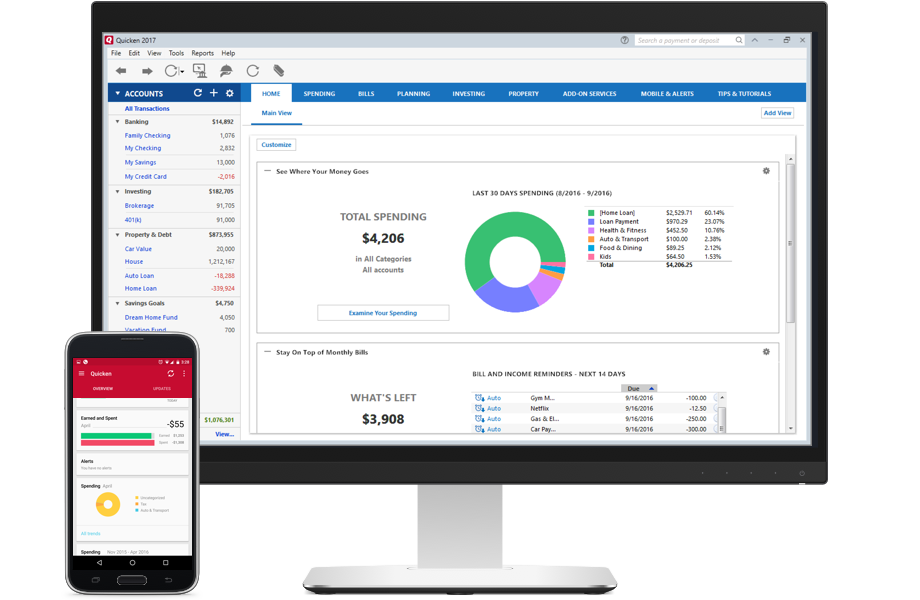
Quicken will help you prepare a budget and scold you when you don’t stick to it. The software is slick and user-friendly and mostly logical.

Don’t rush to upgrade to Quicken 2017.

I’ve used Quicken to manage my finances, both business and personal, since its pre-Windows days. Each year I upgrade to the newest version, and each year I I wish I didn’t have to upgrade. (More about that later.) Each new version will do such things as change the home-screen colors and menu font, but you still have to hunt deep into the Tools menu to find the Reconcile function. Reconciling is one of the most important functions of financial software, since it compares your bank and credit card statements with the balance and transactions in Quicken.

I reconcile my accounts every business day. That way, there are no surprises. I

‘ download all transactions directly from bank and credit card accounts. I spend  about an hour a week keeping my finances in order. It’s time well-spent, especially when the tax man cometh.

The 2022 version has a more robust mobile synchronization, yet I couldn’t get the app to import transactions from my checking account without tweaking. Tech support for the Premier version is free and competent.

A call to Quicken’s free and competent tech support resolved the problem (30-minutes on hold, with obnoxious music). How syncing works is data is sent from your PC to the Quicken servers, then to your phone or tablet. Transactions that are entered in the phone app show up in the PC version, and vice-versa. When an error, such as a wrong password, occurs, the syncing can’t continue, which is what happened to me.

Do I worry about privacy when my most personal financial data is sent to the cloud? Yes, but that’s the way it works.

Quicken excels (pardon the reference to the Microsoft Office spreadsheet program) in tracking investments, planning for college tuition and figuring out how much money you’ll need for retirement. It will remind you of the due dates for bills and you can even pay bills directly through the software for $10 a month. I bypass that fee by paying my bills through my checking account, which is free. Payments show up in my Quicken ledger when I download my other bank transactions.

You can use your phone or tablet camera to snap photos of receipts, but you’ll still have to enter the transactions into the virtual ledger for the appropriate account. The mobile app will display recent transactions and break them down by the days they are made. I’ve come to rely on the app to keep me up to date on my finances.

But the real strength of  Quicken is the accounts page on your Windows PC or Mac. There you’ll set up all your accounts, download transactions for those accounts and you’ll be able to see in living color whether you’re going to make it through the month without breaking the bank. Quicken will alert you that you’re spending more on entertainment, for example, than you did the previous month. You then can set up a more realistic budget, based on spending in prior years and adjusted for changes in income and priorities.

For all that Quicken does, it’s reasonably priced. The Deluxe version, which I bought, costs $75 — a year. The Premier version, for folks who have extensive investment portfolios, costs $110. A Starter version, which can’t import data from the previous year, costs $40. There also are versions for businesses and people who have rental income. Quite often Quicken is on sale. When I upgraded by yearly subscription plans were available at up to a 40 percent discount. The Mac version costs $75.

That said, I could have kept using the 2019 version and not missed much in terms of features.

I guess there are many kinds of people who compute; among them are those who are just fine with Windows XP and Microsoft Office 2007, and those who can’t wait to install the next update to Windows 11. Just because I fall into the latter category doesn’t mean I’ve taken the right path.

Some upgrades such as those that don’t work with newer operating systems make sense. That’s not the case here, since Quicken works with versions of Windows all the way back to Vista. If you’re running Quicken 2022 and you don’t need the features in the Premier or Home and Business versions, I can’t think of a compelling reason to buy the latest upgrade. Well, yes I can think of one compelling reason: Quicken is on a subscription model. Each year you have to pay for a new subscription. For example, for the Premiere Edition, the price is $79, although it’s often heavily discounted.

If it weren’t for the subscription model, I’d still have the 2019 version and be perfectly happy.

For more information: www.Quicken.com.

Link-to-Cell Bluetooth Convergence Solution

The stay-at-home phone

When my fellow geeks gather for our weekly summit, the conversation centers around the merits of the iPhone 7 Plus over the Galaxy S7 Edge Android phone. Most of us have iPhones; still, I have to admire the curves of the Edge. So when I started touting the merits of my latest acquisition – a landline phone – there was nervous laughter along with tsk-tsking. I sensed the stirrings of a movement to cast me out of the club. But I held my ground.

The stay-at-home phone

When my fellow geeks gather for our weekly summit, the conversation centers around the merits of the iPhone 7 Plus over the Galaxy S7 Edge Android phone. Most of us have iPhones; still, I have to admire the curves of the Edge.

So when I started touting the merits of my latest acquisition – a landline phone – there was nervous laughter along with tsk-tsking. I sensed the stirrings of a movement to cast me out of the club. But I held my ground.

Connecting cell phone to landline phone

The official name of my new phone is the Link-to-Cell Bluetooth Convergence Solution. It sounds like the kind of phone that comes with a pocket protector and a mechanical pencil that has a  worn-down eraser.

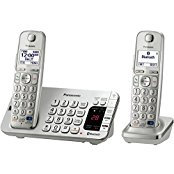
How to describe it in layman’s terms? First off, the phone part is impressive. Both the base unit and the handset have large keys. It’s not so much that I have big hands, as the size of the keys means I won’t have to grab my glasses whenever I want to dial a call. It’s heavy, so when I use the base set’s speaker phone, I can press the speaker keys without the base moving around. The speaker feature on both the handset and the base produces clear, volume-adjustable sound. There also is an answering machine on the base.

But where the phone shines is its ability to make and answer cell phone calls. Or to even hand off a cell phone call to the phone’s base. Up to two cell phones can be paired, via Bluetooth, to make and receive calls. Instead of using the speaker on the iPhone, I use the speaker on the base. If I’m on another call using the Panasonic landline component, I can put that conversation on hold while using the cellphone.

The landline phone is capable of receiving talking text message alerts that say whom the text is from (but not the message itself). Contacts’ phone numbers can be imported from the cell phones. There’s a talking caller ID and a competent operating manual. Landline calls can be forwarded to a cellphone if you have that service with your landline phone provider, and call blocking is available. The Panasonic  works great with my MagicJackGo ($35, including a year of unlimited calls within the U.S. and Canada. More information: http://www.magicjack.com).

Setting up group calls is straightforward. Since my two cellphones are linked to the landline, three calls can be juggled at the same time. And it will help locate a misplaced cellphone by simply pressing the “locate cell” button. If you’re lost at home, press the “locate/intercom” button to communicate with the base using a handset near you. All you have to do is pick up the nearest handset – the base unit will handle five handsets.

Also available are multiple phone books, speed dialing, even the ability to store strings of numbers for retrieving voice mail from your landline carrier (if you don’t want to use the built-in voicemail). Although I don’t have a Bluetooth headset, the phone is capable of linking to one.

Oddly, the time that’s displayed on the handset defaults to a different time zone, no matter how many times I reset it. I also had to set the handset phone to the loudest level available in order to hear some conversations. That wasn’t a problem with the base unit.

If you don’t want to receive calls, the ringer can be turned off, which is programmable for the hours you choose. If you have voicemail service from your landline provider, the message will be stored there; otherwise it will go into the phone’s voicemail. If you want to receive a call from a certain person, the night mode can be programmed to override the do-not-disturb feature.

Those are the high points.

When I finished hitting all those high points, the geeks who were impressed at first weren’t moved to buy the phone, even when I mentioned the price – $40 for a refurbished base and one handset at Amazon. They were too busy admiring the curves on the Galaxy Edge.

The unit I bought is model No. KX-T456CSK, but there are a number of similar phones at http://www.panasonic.com.

Is DasKeyboard More Than Just Hype?

Typing as if it’s 1981

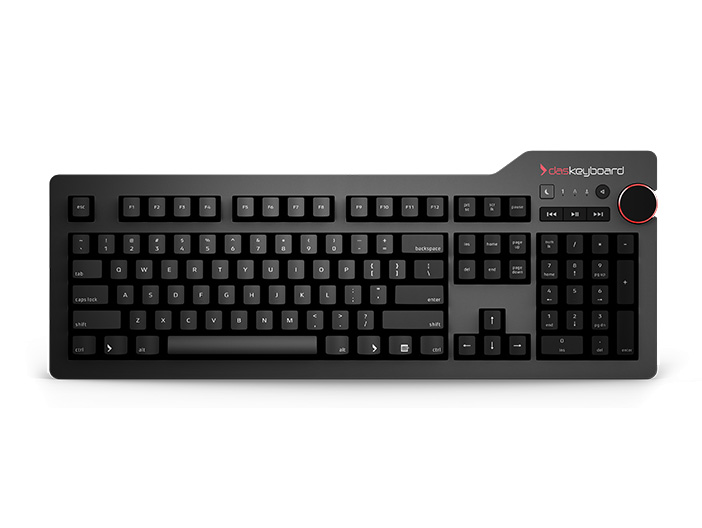
DasKeyboard is one of the most expensive non-gaming computer keyboards on the planet. Its name suggests that it was made by German engineers whose day job is designing BMWs or Mercedeses. Its feel and clicks mimic the original IBM keyboards. It’s sturdy, heavy, has a USB cable as thick as a small garden hose, and those clicks are guaranteed to keep you awake when you’re  typing.

Typing as if it’s 1981

DasKeyboard is one of the most expensive non-gaming computer keyboards on the planet. Its name suggests that it was made by German engineers whose day job is designing BMWs or Mercedeses. Its feel and clicks mimic the original IBM keyboards. It’s sturdy, heavy, has a USB cable as thick as a small garden hose, and those clicks are guaranteed to keep you awake when you’re  typing.

Clickity clack

But fact is stranger than fiction. The keyboard, despite its name, actually was designed in Austin, Texas, and assembled in China. Another fact is that, in my experience, it’s prone to problems that seemingly can’t be fixed. I should know – I forked over $169 for the top-of-the- line DasKeyboard 4 Professional. That I miss my ancient (and wireless) Microsoft keyboard  is testament to how unimpressed I am with the new keyboard. (The Microsoft keyboard , by the way, makes no pretenses about where it was made – in China.)

The folks who design the DasKeyboard claim its key inscriptions are laser-etched. If so, someone must have been asleep at the laser. Online complaints say the home keys and other often-used ones often fade. In fact, to take the suspense out of the fading-key-inscription experience, one model of the keyboard comes with blank key caps.  Some users report that for touch-typing, it is actually easier to use than models with the keycap etchings.

So far, after more than a year of use, the key cap inscriptions look almost new.

As if the etching complaints weren’t enough, my keyboard mysteriously repeated o’s when I would pause typing. I sent it back to the manufacturer on their dime. They couldn’t replicate the problem, so they sent it back to me after replacing a part called the logic board. Problem solved.

And then the 2.5-pound  keyboard began moving around on my desk as I typed. A technician responded to my email complaint within an hour. He suggested that I put the keyboard on my lap and bend the right side. Now, for all its negatives, the keyboard is built as if it were made of cast iron. Bending it would have meant putting it in a vice.

Their next suggestion was removing the combination ruler/keyboard elevator, a device that, as its name suggests, can be used as a ruler. Its real function is to raise  the back of the keyboard about 5 degrees, just where it feels right. Closer inspection showed that the ruler was warped. A new one was sent out, but that ruler was warped, too, so I had to get used to a moveable typing experience.

That aside, what other keyboard than the Das allows you to customize the way the keys look? One user designed vintage Smith-Corona key caps.

The Keyboard 4 Professional model, which I bought, has an oversized volume key and separate keys to put the computer to sleep and mute the sound. Compact keyboards also are available, as is one for Macs.

Prices range from $139 for the compact keyboard to a whopping $169 for the Professional model. The Mac keyboard goes for $175. That’s extravagant, but if  you must have one of these, I’d recommend the Professional model, with its dedicated number keys, and, of course, there’s the oversized volume knob.

All their keyboards have a feature for super-fast typists called “full n-key rollover,” which allows keystrokes to be stored, then played out, no matter how fast you type.  Those noisy keys, by the way, are gold-plated, and there are two USB hubs at the rear of the keyboard.  

For folks working in close quarters with others, the company does make quiet keyboards, too. But the biggest attractions – what got me to fork out $169 – are the vintage IBM clicks, tactile feedback and weight of the keyboard.

After all of my complaints about quality and its pseudo-German name, I will allow that it does enable you to type as if it were 1981. Users rave about it to the point that it has almost a cult following. The company also will have a new line of Internet keyboards that are backlit (yay!) and let you customize how you get information in the cloud. Stay tuned.

So, if you’re in the market for a keyboard that the whole house or office can hear and you don’t mind having it tethered to a USB port on your PC or Mac, and you’re in need of a replacement keyboard when your sturdy wireless Microsoft or Logitech model finally heads south, then go for it. But if I had to do it over again, I’d get a Microsoft or Logitech keyboard and pocket the change.

Photoshop Elements vs. Paintshop Pro

Picture-perfect

Count me as among those who can hardly open a file in Photoshop, much less get rid of an errant lamp post growing out of a subject’s head.  It’s a complicated program that takes much time and practice to use effectively. To master Photoshop is a badge of honor I don’t happen to wear.

Battle for the picture-perfect

Coming from a newspaper background, I’m familiar with the power of Adobe Photoshop, which photographers swear by and editors swear at. Count me among the latter group.

PaintShop Pro is inexpensive and powerful

While it’s strictly forbidden for news photographers to doctor their images – deleting an unwanted person, for example – that doesn’t mean those kinds of edits don’t slip past editors. After all, when a photographer transmits his work from Singapore, who’s to know that there was a joker making a funny face in  the background? Ultimately, photographers get exposed –many times by other photographers – when the photo is published. That’s why you see former news photographers going door-to-door taking family portraits ($10 for a sitting, with two free 8 by 10s).

Count me as among those who can hardly open a file in Photoshop, much less get rid of an errant lamp post growing out of a subject’s head.  It’s a complicated program that takes much time and practice to use effectively. To master Photoshop is a badge of honor I don’t happen to wear.

For many years, I used Elements, Photoshop’s inexpensive little brother. Elements has modes for impatient amateurs such as myself.  The Quick mode makes photo editing almost child’s play, while the Expert mode delves into the mysteries of layers, color gradients, skin tone adjustments and more.

Like a fat bear whose curiosity makes him wonder whether the next hive has sweeter honey, I couldn’t pass up a sweet offer to buy PaintShop Pro X9. I had an earlier version, and found myself using it more and more. There’s no dumbing-down in Corel’s PaintShop. While PaintShop has most of the advanced features of Elements, for my money, it bests Elements by an elephant’s nose.

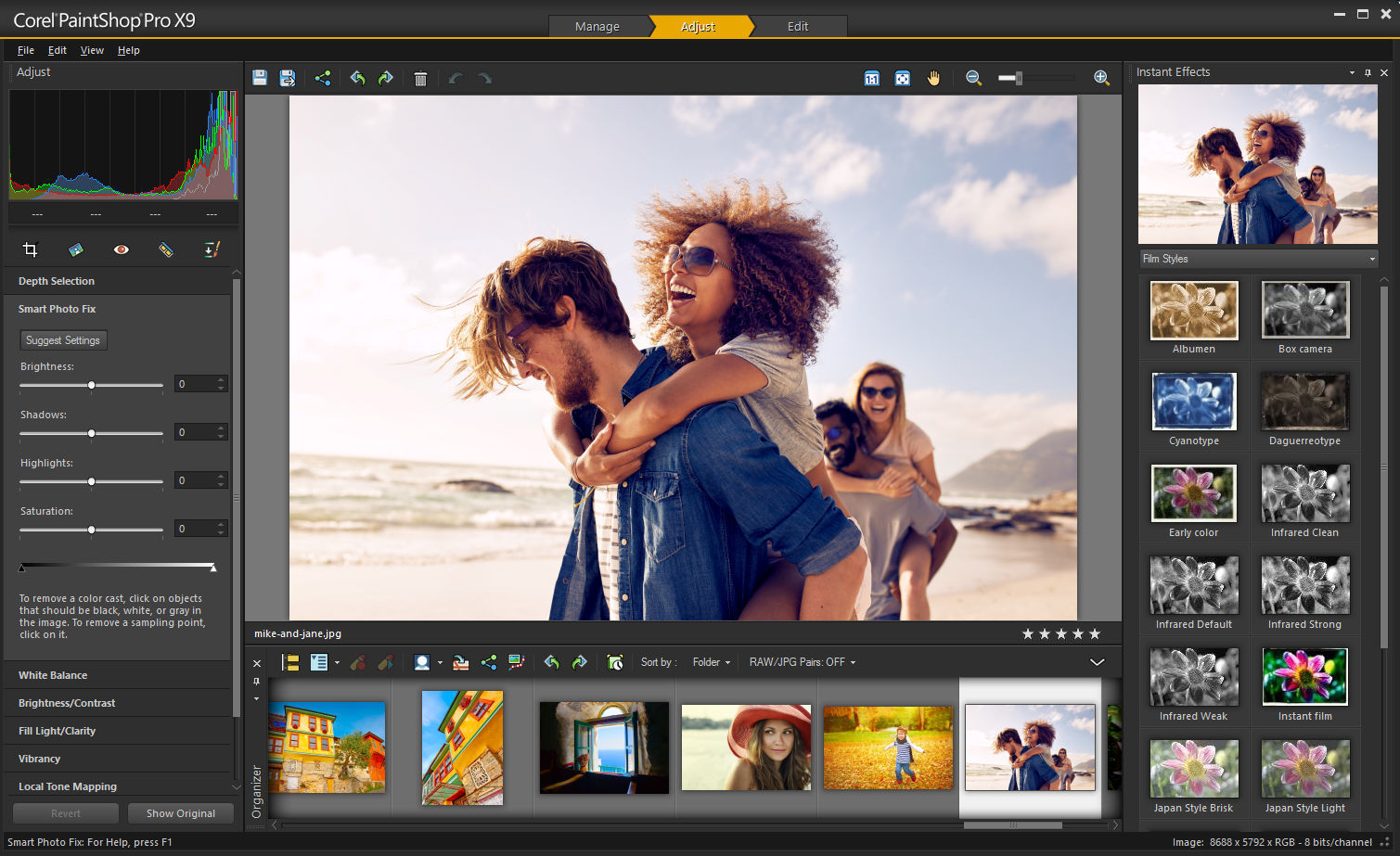
Like Elements, PaintShop has a photo organizer that puts your digital images in some semblance of order. From there, the program takes you to “adjust” mode, where you can add effects, and finally to “edit.”  Along the way, PaintShop holds your hand. I’ve never used a program that has so many tutorials – many are videos – and how-tos.

For example, I hadn’t heard of a photo-editing program having scripts, and I don’t mean the kind actors use. A script takes a number of commands that can be executed with the click of a mouse to enhance a photo.

Want to add a purple haze to enhance a photo? Click on the “purple haze” script that comes with the program. PaintShop comes with some scripts, and more can be bought.

Using a script, the subjects in the photo can be in stunning color, while the background is in black and white. Cover your eyes, news photographers, the color of eyes can be changed. And, like Photoshop, sin of sins, you can move people around. They actually tell you, proudly, how to do it.

Multiple photos can be merged to create a stunning photo , color gradients can be applied, shapes such as hearts can be overlaid on a photo. If you’re processing a number of photos – batch filing – you can apply the same effects, such as “smart fix,” which controls all facets of exposure, to all of them.

The good folks who produced the program hold your hand as you’re transported to the magical world of  the online Corel Discovery Central. There you’ll find tutorials on every facet of PaintShop. Most of the tutorials are free, but for hyper-complicated projects, there are fee-based tutorials that can last for hours.

The tutorials are easy to understand and take you step-by-step through the paces of doing things to a photograph you probably never thought were possible, from the “getting started” tutorial to using a template to make a collage. Speaking of collages, after watching the template tutorial, I arranged a beautiful (if I say so myself) collection of photos of my grandkids, printed it on an 8 by 10 sheet of photo paper, and gave it to my daughter to hang on her wall.

I find that I’m using PaintShop for most of my photo-editing sessions. It’s much cheaper than Photoshop – it costs about the same as Elements – and is geared more to experienced amateurs, graphic designers, students and business uses. I found that I could do more in less time using PaintShop over Elements.

PaintShop Pro costs $80, although it’s often on sale for less. A more sophisticated version, PaintShop Ultimate, ups the ante by $20, although it, too, is often on sale.

A pop-up ad when I was using an earlier version of PaintShop gave me an offer I couldn’t refuse — $15 for the full version. No one had to give me a tutorial on how that was a great deal.

For more information, visit: www.corel.com

Get Off of My Cloud

Clouding my judgment

terabyte USB drive is right: $50 for a brand-name one on Amazon. But I want more. I want a home-based cloud backup drive (because a friend has one and raves about it). I want to be able to back up to it, even though the drive could be stolen or destroyed by fire.

Gotta-have-it is clouding my judgment

My hard disk is bursting at the seams. A sensible person might simply get a portable USB drive and move files onto it and then delete the files on the PC. The price for a terabyte USB drive is right: $50 for a brand-name one on Amazon. But I want more. I want a home-based cloud backup drive (because a friend has one and raves about it). I want to be able to back up to it, even though the drive could be stolen or destroyed by fire.

A backup drive I don’t need

For the record, I have a cloud backup program, Carbonite, which is creating a mirror image of my hard drive as I write this. It takes  a “snapshot” of my drive once a day. If my hard disk fails – as it is about the do – it will restore its last snapshot, including Windows, programs and files, on a new drive. But … if my motherboard gets fried, I’m out of luck. Carbonite will restore a snapshot only to the same computer.

I also have the regular version of Carbonite backing up individual files to the cloud. But … if my motherboard gets fried, it would take days to get those files back.

And yes, I upload sensitive files such as this column (hah!) to SugarSync, another fine cloud program. So I should be fine with that inexpensive USB drive to make yet another backup of my files. But what fun would that be?

It’s been more than three years since I last reviewed the Western Digital My Cloud backup drive. I sent it back because the software was seriously clunky. The software has gotten slicker, but there still are two software components that must be used to make the drive work. They look like they’re intuitive, but after several hours with Western  Digital tech support, I simply was not able to make a  backup of  my bursting hard drive.

Maybe the drive is defective, one tech tells me as I run a diagnostic test. That takes 10 hours, and the disk is found to be healthy. Other techs gruffly teach me how to use the software. As I listen, I wonder why it’s necessary to teach anyone how to operate a backup program. Designate which drive is the source, then designate the backup drive. Not so simple with the My Cloud.

The My Cloud plugs into a router, not to a computer. By setting up users, complete with passwords, several PCs or Macs can back up to the My Cloud drive. Don’t be fooled by the “cloud” part of the name. Instead of backing up to a server somewhere in North Dakota, where it could be vulnerable to hackers, the Western Digital drive is a cloud that can be accessed wherever there’s wifi. This would be especially useful on a phone or tablet on which files and photos can be shared. Those files can be password-protected, or shared files can be set up when you want others to see those files or photos. It’s sort of like Facebook, but in this case, your files aren’t available to a million friends.

If the backups don’t work, as mine didn’t, files can be copied directly onto the cloud drive, but the same thing can be accomplished by copying files onto that $50 portable USB  drive. The My Cloud drive costs $140 for 2 terabytes of storage; an 8 TB drive costs $300. There also is a dual drive model, in which files that are backed up to the primary drive are also backed up to a second drive. Those drive have a maximum capacity of 16 TB and range from $300 to $800. But if those drives get fried, or thieves take them, you’re seriously out of luck as far as backups are concerned. That’s where real cloud backups can be a better choice. Most offsite cloud backup servers have redundant servers.

Now, for a test of the real reason I bought the My Cloud – accessing files on my iPhone. The files were there when I signed in, but they were grayed out; I couldn’t open them.

Back to Western Digital offshore phone support (which is free for only 30 days). More fiddling. And then the line went dead. He hung up on me. Freed of a tech who didn’t know what he was doing, I did some fiddling on my own. Several steps in the manual simply were wrong – I was able to view some – but not all – of my files. When I was able to open a file, its contents popped up right away, as long as they were documents or photos. But any other type of file, including some pdf’s, simply wouldn’t open.

Packaging and returning the My Cloud drive was the easiest part of a mess that took me hours and successive days to troubleshoot. I had to call Western Digital a total of eight times and even then I couldn’t make the drive work. I’m back to copying files on an external hard drive – the $50 solution . That process is reliable and easy.

How do I access my files when I’m away from home? Easy. I take the portable drive – or a thumb drive — with me and view my backups anytime, anywhere on my laptop. No wifi connection needed. And no more experiences with Western Digital tech support hang-ups.

Fact is, I already can view files that were backed up to my real cloud services, Carbonite and SugarSync.

Sometimes “I gotta have it” should be answered with “no you don’t.”

FitDesk Under Desk Elliptical

Getting a workout while working

As I type this on my desktop computer, I’m getting an aerobic workout. My legs have been pumping away for half an hour. Calories are being burned. Instead of the leg cramps I so often get when I spend hours glued to my desk chair, I feel exhilarated. I am working out while I work.

Getting a workout while working

As I type this on my desktop computer, I’m getting an aerobic workout. My legs have been pumping away for half an hour. Calories are being burned. Instead of the leg cramps I so often get when I spend hours glued to my desk chair, I feel exhilarated. I am working out while I work.

A sit-down workout

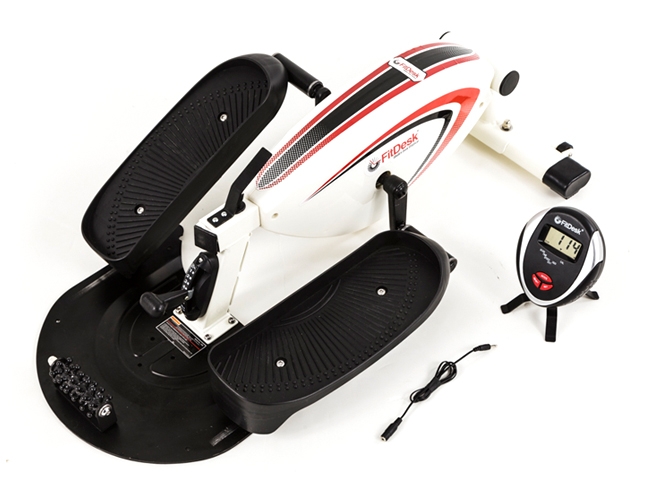
No, I haven’t mounted my heavy desktop and equally heavy monitor on a treadmill or stationary bike. I’m using the FitDesk Under Desk Elliptical, a sort of stationary bike that fits under my desk. Physical tension ebbs as I increase the tension on the elliptical itself, a feat accomplished with a tap of my left foot. How crazy is this?

Well, for one thing, I am banging my knees on the bottom of the desk. No matter. Life is all about tradeoffs. The possibility that I will be a candidate for knee surgery soon is outweighed by the fact that I spent $100 on this device, and I very well plan to use it.

The folks at FitDesk claim that a desk as low as 24 inches will accommodate the elliptical. My desk is 26 inches high, but I’m 6-2, and my legs are long. So  I go bump in the night.

That said, how am I using the device? I lower my chair and bring the elliptical toward me so that my knees don’t bump the desk. I put my dasKeyboard on my lap; the keyboard is tethered with the extra-long USB cable I mocked in an earlier column. For mouse work, I simply lean forward.

It works, but not as intended. I should be able to sit at my desk normally while my legs get a workout; instead I have to use a workaround.

Assembling the elliptical is fairly straightforward. The instructions are clear, and all the nuts and bolts, and even the tools I needed, were present and accounted for. A small fitness meter helps figure out how fast the calories are being burned  and how long I’ve been pumping away. The fact that the meter’s cable is a bit short didn’t much bother me, since I know, by wristwatch, how much time I’ve been pumping away and banging my knees.

So, here’s what I suggest: Don’t buy it unless your desk is at least 30 inches high. If you have long legs, go higher. And don’t try to lift it yourself. The FedEx  guy wasn’t happy about delivering it. If you have any issues with your knees, the elliptical may not be your best choice for exercise equipment.

Still, I’m using it as I write this column. Knee bumps aside, it’s the best way to exercise while using a desktop PC that I’ve found.  If you  have a laptop, there are mini-desks you can mount on a full-size elliptical. But those ellipticals take up a lot of space. This one fits under a desk, which makes it unique. Not entirely practical for me, but not impractical, either. Besides, there’s no way I could repack it and take it to the FedEx store to return to Amazon without injuring my back. Sore knees are bad enough.