
The Shark Rules a Sea of Vacuums

Cleverly designed, the Shark Apex is an upright vacuum — and a canister.

I was a fan of Dyson’s ball vacuum until I tried Shark’s fluid, movable base. It responds like a sports car when you touch the handle and can tackle any mess on every surface.

The Shark Apex is the best upright vacuum I’ve ever owned and used.

Its suction is reminiscent of the intake of an Airbus 380 engine, but its motor maintains a tolerable decibel thanks to Shark’s Noise Reduction Technology which has been scientifically tuned to reduce noise and soften what would otherwise be the annoyingly high pitch most vacuums are known for.

DuoClean® Technology

It works great on carpets, furniture, tile and hardwood floors. It will pick up everything from popcorn seeds to kitty litter. Its dual brush system includes one soft brush for polishing and another larger bristle brush for lifting embedded dirt from carpets, along with three settings tackle deep-pile carpets, where the dual brushes spin rapidly, to relatively flat rugs like those used in corporate offices. The hardwood and tile mode is designed so that it won’t scratch floors; the brush spins very slowly and the rubber roller acts as a buffer for a professionally polished shine.

I have owned multiple Hoovers and expensive over-hyped Dysons, and even a Roomba, but none worked as well as the Shark model AZ 1002 ($450 on Amazon).

The half-life of the Hoovers and Dysons I’ve owned is about 18 months. My last Dyson, the Dyson Ball Animal 2, lost its suction after two years – something the company says will never happen. At $500, it’s hardly a bargain, especially when its performance on both carpets and bare floors is mediocre.

The roller belts on my Hoover would last 45 days, if I was lucky. And the first-generation Roomba, which set me back $500, had a pathetically small dust bin that almost never was full. It was fun to watch as it bumped like a pinball around the room until its short battery life stranded it under the couch. Many times, I had to move the sofa to retrieve it and place it on its charging pod.

There are so many features to like about the Shark AZ 1002, it’s difficult to list them in order of its wow-factors, but here goes:

Self-cleaning brushroll technology

If you’ve ever cleaned a vacuum brush, you’ve probably been tempted to let it go until the brush stops rotating. The Shark brush cleans itself. It has two brush rolls and gets right down and dirty on hard floors. The vacuum comes with crevice and upholstery tools and a pet hair removal power brush. I don’t have a pet, but my adult children bring their cats and dogs around and it gets rid of pet hair efficiently.

Anti-Allergen Complete Seal Technology

The AZ 1002 has a HEPA filter for allergens inside the vacuum and two efficient filters that can be cleaned. I clean those filters when they get dark with crud.  Cleaning just involves removing the filters and washing them with soap. If you want to have even more assurances that the Shark cleans itself, try squeezing the wet filters – the water turns a nasty black. Replacement roller brushes and filters are sold on Amazon for under $30. The result is highly filtered exhaust air from the motor.

If emptying the bagless dust bin on other vacuums leaves you gasping for air because dirt flies up from the garbage bag, you’ll be delighted with the dust bin on the Shark. Lift it off the vacuum by pressing a button, taking the bin to the garbage can, pressing another button, and the dust drops in a straight line into the garbage.

Powered-Lift Away®

There are many canister vacuums – ones that have long hoses and heavy motor cases that drag behind. I’ve never been a fan of canisters, even if they’re handy for cleaning carpeted stairs and hard-to -get-at corners. Most will do their dirty work under sofas and chairs, but only if you’re patient enough to swipe the hose and handle in straight lines. The Shark looks like an upright vacuum – and it is – but thanks to Powered-Lift Away® technology it’s also a sort of canister vacuum. The motor snaps off the base of the Shark, a hose is attached, and the long handle gets into carpet corners, spider-webbed walls, popcorn that’s homesteaded in the corners of chairs, and of course, stairs. The canister part is rather heavy, and it has to be held while cleaning – a definite minus — since it includes the motor, but its suction around corners and stairs is as strong as the upright part.

It’s impressive and reassuring when you release the hose and wand – the “click” is audible and the connection is tight. Return them to the base, and they fit perfectly. But don’t run over the power cord — it’s not called a Shark for nothing.

You’d expect an upright vacuum cleaner to have lights on the base, but the LED lights are bright enough that your neighbors might complain. When you take the wand off the base, the lights switch to the wand, definitely a plus.

Active Glide Technology

I was a fan of Dyson’s ball vacuum until I tried Shark’s fluid, movable base. It responds like a sports car when you touch the handle.

Shark has other models, including a new class of vacuums on their website: www.sharkninja.com. They offer generous discounts on the website. Shark also offers a robot vacuum, cordless stick models and even cordless mops for hard floors and a cordless power hand-held vacuum for $149 that comes in handy for cleaning the car. They even offer a canister model. Except for the robot vacuum, most of the models cost less than $500.

Pros

  • Impressive suction
  • An upright doubles as a canister
  • Maneuvers easily
  • Everything fits with a click
  • Self-cleaning brush
  • Bright LCD lights
  • Easy to empty
  • HEPA filter

Cons

  • Lift-off canister is heavy
  • Pricey

Summary
The Shark Apex AZ 1002 does everything a vacuum should do, as an upright and a canister all in one.

Tech Specs
Shark Apex Upright AZ 1002

Universal Remotes: Get With the Program

Replacing A Half-Dozen TV Remotes With One That Will Do It All

Unless you like the clutter of remotes for your TV, sound bar, Apple TV, Roku and other devices on your coffee table, there are two inexpensive Logitech universal remote models that stand out.

If you’re looking for the perfect universal TV remote, keep looking. My search goes back at least 15 years, and I’m no closer to finding one remote that will control all the features of my LG TV, Apple TV, Roku, , Yamaha sound bar and AT&T cable box. The HDMI cables connected from my devices to the four HDMI ports on the side of my TV look like a bowl of prehistoric spaghetti.

Some remotes control on their own devices. These include the Roku, Apple TV, Yamaha sound bar and the LG TV’s own remote. They come free with the device they control. Some have backlit keys, which I find nearly useless because they’re so dim.

Universal remotes cost as little as $10 up to more than $400. And it’s not a matter of getting what you pay for. Some models in the $20 range can control several devices, but they’re tricky to set up.  Others, in the $50 to $75 range, can control many devices with some serious limitations, and others priced from $75 to $400 will control almost all TV devices.  If almost all isn’t good enough, you’re going to be disappointed at any price.

So here’s my roundup of remotes in all price ranges. In this review, I’ve concentrated only on devices connected to a TV set. More expensive remotes are able to control thermostat, lighting and other smart home tasks.

Original TV remote: The LG TV remote that I have comes programmed with Netflix and Amazon Prime channels. An input button lets you switch among all your devices. For example, if your Apple TV is controlled by HDMI 1, you simply press the input button and all the devices they control will flash on the screen. (HMDI is a term for unique ports on the back or sides of most TVs). Using the up-down arrows on the remote, devices can be selected. It also will control volume and channels on the cable box. But it has some limitations, such as its inability to fine-tune such features on the sound bar as surround sound and bass-boost. For a review of the LG OLED TV, click here.

Roku: The model I have, for its upscale 4K box, is designed specifically for Roku. It has pre-programmed buttons for Netflix, Sling, Hulu and HBO Max. It’s perfect for controlling all the features of the Roku box, but nothing else. A new model, which I haven’t tried, has voice control powered by Amazon’s Alexa. If all you want to control is your Roku box, this is your best bet. But keep in mind, you’ll need a bunch of other remotes for your other devices. And, of course, it’s free with the Roku device.

Apple TV: This sleek space-age remote controls only the Apple TV. It has Siri’s voice command, play and rewind and up and down sound buttons. When I travel, I take my Apple TV 4K box and the remote with me, hoping for wifi at my destination.

Note: All the devices need wifi to operate.

Yamaha Sound Bar: This smallish free remote controls the sound bar only, and it has buttons for such features as surround sound, clear voice and bass extension. If you want to fine-tune your sound bar, this one is essential. However, some universal remotes such as the Harmony 665 will let you program those features, but that process can be too  complicated for most home users.

Cable box: I have AT&T’s DirecTV Stream service, which requires only a wifi connection, rather than a direct cable. (In a future column, I’ll tell you about my findings on cable and streaming services.)  The free remote will change channels, but it does not control the sound bar, and switching among inputs failed miserably. If you have DirecTV Stream, this remote is a one-horse pony. The remote that comes with Spectrum cable service is leagues ahead of the DirecTV remote.

So much for the free remotes; now for some bargain universal remotes.

Both the One for All and the Inteset universals have been virtually unchanged in the last few years. They have, however, expanded their list of compatible devices. Both are hefty, are backlit and feature a full variety of keys. But each device has to be programmed from a list of tens of thousands of devices in their data base. For example, to use a button for a cable box, you have to determine if it’s supported. If it is, the listing will include a numeric code that is assigned to a key that will control a device. If it works, press the assigned button and your device could turn on. I had a hard time getting it right, and decided to get on with my life. These and dozens of other programmable remotes are available on Amazon for as little as $1 and up to $25 and more. There are dozens of this kind of universal remotes on Amazon. Trust the star ratings; some show that the device is useless. Many are.

If you’re willing to spend some serious money, I like the Logitech lineup of universal remotes.

I’ve been going back and forth between the $70 Harmony 665 and the $149 Harmony Companion for several years. I like them both, but for different reasons.

The Harmony 665 is a standalone remote with every function key imaginable. It resembles a cable remote, but with a big difference. Programming the remote is done on the Harmony website. Attach the cable that comes with the remote and plug the cable into a USB port on your Windows or Mac computer. (You’ll need a USB 3.0 to USB-C adaptor for the Mac. Adaptors cost about $5 on Amazon.)

The free Harmony program walks you through the programming process. You’ll need to know the make and model number of the device you want to control. Next, you’ll decide which HDMI port the device is on. For example, in the Add Device part, you enter Apple TV 4K. It’s connected to the HDMI 1 port on the TV. Next you’ll choose an activity for the Apple TV. You’ll choose turning on the TV, the sound bar and the Apple TV itself, and assign it to a key. Up to 10 devices can be controlled. The buttons are backlit, and if a problem arises, press Help, and the remote will try to fix it. Those problems could involve devices that don’t turn on or off the way they’re supposed to. It even lets you customize the sound bar (goodbye Yamaha remote). I haven’t found another remote that will do those functions such as bass boost and surround sound as well as the Harmony 665.

For what it does, the Model 665 is a bargain at $70. Logitech is out of the 665s, but you can find it on Amazon and eBay for huge markups. Best Buy sells it for $100. It’s still worth it, even at that price.

Most universal remotes look about the same as the Harmony 665: clunky but with easy-to-decipher buttons.

Then there is the Harmony Companion. It uses a hub that is the brains of the remote. The remote itself is small, easily customizable and can be programmed either on the Harmony program on a computer or with a smart phone or tablet. Like the 665, the setup is straightforward. I use the PC-connected setup Harmony program, because for some reason, the hub can’t find my wifi network when I try to set it up on my iPhone.

The Harmony Companion works with more than 270,000 devices and can be programmed to operate six devices, probably more than anyone will ever need. It will control infrared, wifi or Bluetooth devices, which covers any device I can think of. There are more expensive Logitech remotes that will control such tasks as adjusting the thermostat, and they can work with Amazon Alexa.

The Harmony Companion also comes in a model that doesn’t use a hub. Programming is done on the Harmony smart phone app (available on Apple’s app store and Google Play for Android devices).

If you’re remotely interested in a model that controls everything except for the steady drip of your kitchen sink, you can find dozens of models on Amazon. The cheap ones take more work to set up than the more expensive one, but even those models can do the job of the table-full of remotes I used to wade through.

Harmony Companion

Pros

  • Easy to set up, either on a computer or a smartphone.
  • Works with a smart phone without the remote.
  • Remote is small and controls most activities.

Cons

  • Fine-tuning for a sound bar is too difficult for most users.
  • Can have problems connecting the hub to a wifi network.
  • Can be programmed either on a smart phone or a computer, but if programmed on a computer, the hub has to be disconnected and plugged in to a computer.
  • Difficult to find, except for refurbs on Amazon.

Harmony 665

Pros

  • Offers fine tuning of sound bar.
  • Easy to program
  • Has the same kinds of keys as a cable remote
  • Has a Help button to correct connection problems

Cons

  • Needs PC or Mac connection to program
  • A little clunky to use, compared with Harmony Companion

Summary
The Harmony 665 or the Harmony Companion are smart choices for universal remotes. The Companion remote is sold out at the Logietceh website, but is available for outlandish prices on Amazon or eBay.

Tech Specs
Windows 11 or Mac running Monterey
Free Harmony app for both Windows and Mac

TV Alphabet Soup

OLED, QLED, UHD — Which is best?

I don’t watch much TV—a movie a week and perhaps a few series of what Netflix, Amazon Prime or PBS have to offer. I say that because as a casual viewer, a 55-inch $500 4K TV should be all that I need. Your neighborhood Costco warehouse has pallets of them under all brands. Try standing in line at checkout and you’ll see three products: toilet paper, paper towels and a $500 flat-screen TV.

OLED, QLED, UHD — Which is Best at Best Buy?

I don’t watch much TV—a movie a week and perhaps a few series of what Netflix, Amazon Prime or PBS have to offer. I say that because as a casual viewer, a 55-inch $500 4K TV should be all that I need. Your neighborhood Costco warehouse has pallets of them under all brands. Try standing in line at checkout and you’ll see three products: toilet paper, paper towels and a $500 flat-screen TV.

But I’ve never been one to buy a lesser TV, even though most of them are leagues above those in the same price range just five years ago. Through the years, I’ve had high-end Panasonics and Samsungs. The last Panasonic I bought lured me with its 3-D feature. Never mind that there wasn’t much 3-D content, and less content even now, five years later. While it had the 3-D gimmick, its blacks were pixilated. So, $1,500 out the window. I got $300 for it on Craigslist. Next I bought a high-end Samsung. The screen was wildly bright. Colors were saturated. But the blacks disappointed. How in the world could blacks be pixilated at that price point?

All brands have alphabet soups letters for their features. Is UHD better than 4K?  What about NANO and OLED? What’s NeoQLED 8K all about? And why wouldn’t you choose Crystal UHD over all the rest? Ah, but it was OLED that won me over. OLED stands for Organic Light Emitting Diode. Scholarly papers, such as the one that was published in the Scholars Journal of Engineering and Technology compared OLED with simple LED. So now you need an engineering degree to shop for a TV.

Even though I’m not ashamed to say that I showroom-shop TVs at Best Buy, I used to get them from an online store back east. Shipping is free, and even though they now have to charge sales tax, their prices used to be hundreds below Best Buy’s. That has changed.

The LG was the same price at Best Buy as it was at the web store on the East Coast. Delivery and installation are free at Best Buy while the web firms give free delivery only. Best Buy also offers free tech support and was offering a cash rebate.

These days, I can shop and buy a TV set at Best Buy or Costco.  But be warned, the picture you see at Best Buy has been fine-tuned to produce the absolute brightest, sharpest display. When you get the TV home, the settings are default, which do not produce the optimum picture. If you want Best Buy to come out and adjust your picture, you’ll have to pay the Geek Squad as much as $150. That includes not only adjusting the picture, but unpacking and installing the TV and your components. Not a bad deal for an un-geek.

If you want to save the fee for the Geek Squad, all you have to do is go online. In a Google search bar, type in the exact model of your TV and the word “settings.” What you will get is volunteer geeks’ instructions for optimal adjustments. On your TV remote, go to “settings,” which usually is represented by a gear. Go to picture, which will open up settings for color, saturation, brightness and sharpness. I’ve done it for every flat screen I’ve owned. The difference between the default setting and the adjusted settings is amazing. If you’re not happy with the new settings, you can always go back to default settings and use another geek’s suggestions..

So, which 55-inch flat screen did I wind up buying?

An LG OLED. Out of the box, the picture was stunning. With some tweaks I found online, the display was even better than the same LG model in the Best Buy showroom.

Yes, I spent $1,500 for the LG, but 18 months in, the picture is still breathtaking. Colors pop out, and in dark scenes, an errant pixel is nowhere to be found.

Am I watching more TV now? No, but when I do watch, I’m blown away by the picture.

Pros

  • Stunning display

Cons

  • Expensive

Summary
Cut to the chase, and get an LG OLED set.

There’s a Shark in My House

Sorry, Hoover, Roomba and Dyson

I’m old enough to remember Hoover and Kirby vacuum cleaners that were the essence of simplicity. Heavy metal frames, a long, high-capacity black dust bag, and a noise level as loud as a two-engine DC-3 airplane flying over the living room.When the Hoovers in a neighborhood were being used at the same time, it sounded like low-flying fighter jets in formation.

Sorry, Hoover, Roomba and Dyson

I’m old enough to remember Hoover and Kirby vacuum cleaners that were the essence of simplicity. Heavy metal frames, a long, high-capacity black dust bag, and a noise level as loud as a two-engine DC-3 airplane flying over the living room. When the Hoovers in a neighborhood were being used at the same time, it sounded like low-flying fighter jets in formation.

Everyone had carpets in those days, and a daily vacuum would clean those carpets until they screamed for mercy. Cannisters, an alternative to upright models, were designed by unemployed Ford Falcon engineers. They were difficult to use, even for their intended purpose – cleaning carpeted stairs.

When I bought my own home, the first thing I did, even before I bought a Maytag washing machine – the one with the huge agitator in the middle of the machine – I bought my own Hoover from, you guessed it, a traveling Hoover salesman.

For many years, in many homes, I continued to buy Hoovers. But as Hoover replaced their original basic metal models with ones that were primarily made of plastic, with questionable suction, I found myself sticking the new ones in the trash after a year or two of use. Belts would break regularly, and they were diffiicult to replace. One time I discarded a Hoover on the street, but no one picked it up.

Over the years, I’ve had:

Roombas and their knockoffs: Expensive and gimmicky, sometimes useless, a robot would bump into every obstacle in the house. The dust bin was tiny, and the amount of stuff it vacuumed was disappointing.

Dyson: This is a very expensive ($500 range) vacuum that promises it would never lose its suction. True enough, but on hard floors it’s virtually useless. Emptying the waste bin is messy. On several occasions I had to vacuum up the spilled dirt.

And then I bought (drum roll, please) a Shark and my life changed in ways I couldn’t imagine. I got the AZ1002 model Amazon for about $400. The motor lifts off the base so I can vacuum in tight places. The handles and other parts go together with a reassuring click.  The build quality is excellent.  It’s noisy, but tolerable. And get this: the brush cleans itself. The suction is good, and it does very well on hardwood floors.  Emptying the bagless dirt cup is simple, and since the suction is so good, it picks up enough dirt so that I have to empty it every week.

I had one problem with the Shark — I had vacuumed a pile of shredded paper, which caused a clog — and the friendly, competent phone support staff stayed with me until the problem was (easily) solved. The fact that the support phone rang only twice before someone picked up is a testament to the Shark’s reliability.

Sorry, Mr. Hoover, but there is a Shark in my tank now.

Pros

  • Heavy duty vacuum has amazing suction on all kinds of floors.
  • Beats competitors that cost more.
  • Stellar customer support.

Cons

  • None.

Summary
The Shark out-performs even more expensive vacuums.

Tech Specs
Shark Apex Upright

The Classy BlackBrook Phone Case

Leather and style, functionality and protection

My new $1,100 iPhone 13 Pro deserves more than the ubiquitous $15 cases on Amazon. It deserves a classy leather wallet and case from Blackbrook. For many years, I used the $55 Speck Presidio grip case. The latest version is compatible with MagSafe charging and other uses such as the feature that allows it to attach to a smartphone wallet without slipping out. The Speck grip case is sturdy, provides excellent drop protection (from my experience) and looks OK. It’s not a bargain, but it does protect your phone. But classy it’s not.

It Protects Your Smartphone and Shows You Have Good Taste

My new $1,100 iPhone 13 Pro deserves more than the ubiquitous $15 cases on Amazon. It deserves a classy leather wallet and case from Blackbrook.

The Blackbrook Wallet and snap-on case

For many years, I used the $55 Speck Presidio grip case. The latest version is compatible with MagSafe charging and other uses such as the feature that allows it to attach to a smartphone wallet without slipping out. The Speck grip case is sturdy, provides excellent drop protection (from my experience) and looks OK. It’s not a bargain, but it does protect your phone. But classy it’s not.

For those who prefer leather over plastic, my choice is the $59 BlackBrook wallet that features a detachable clear plastic case. If you don’t want the plastic case, a matching snap-on leather case costs an extra $29. For class-seekers and those who want the convenience of a wallet that holds a driver’s license and credit cards, you can’t do better than BlackBrook.

This image has an empty alt attribute; its file name is blackbrook_cas_the-classy-blackbrook-phone-case-1.jpg
Classy packaging

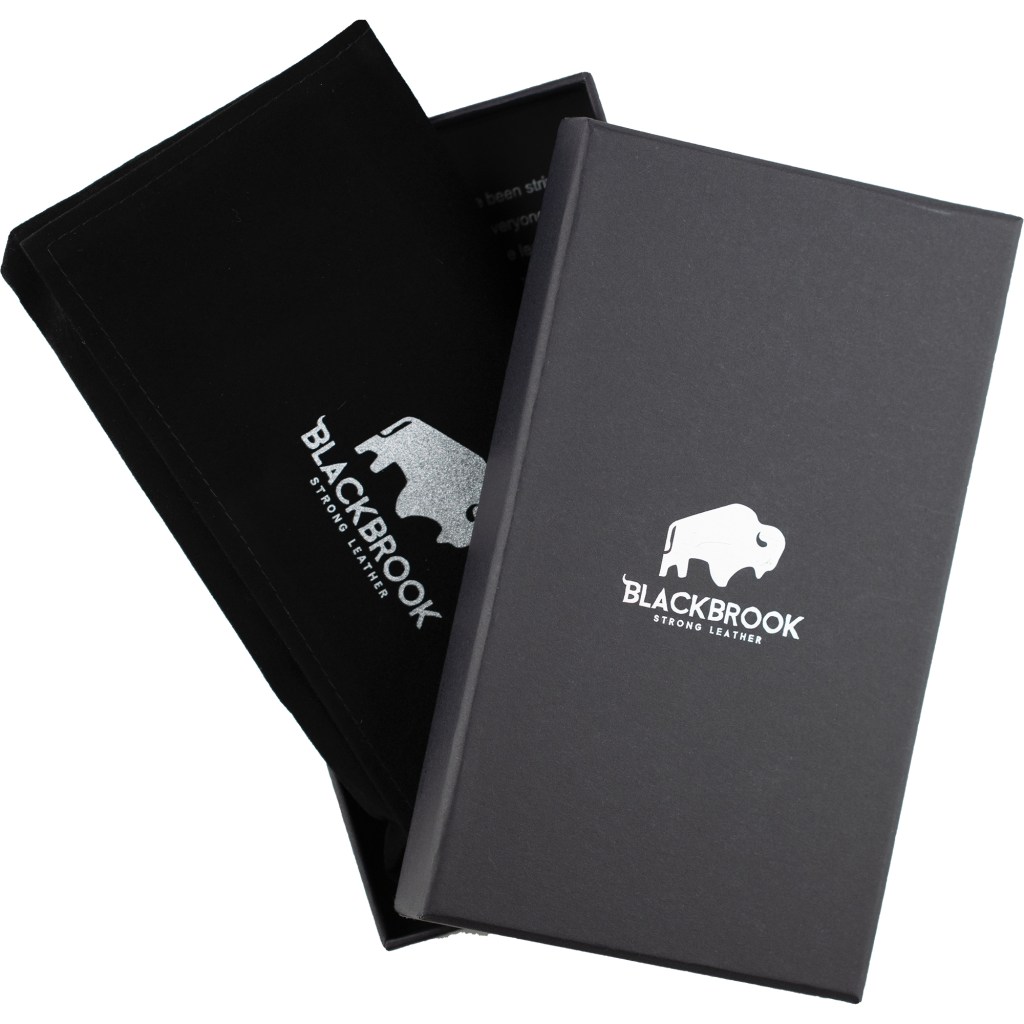
You know you’re dealing with a class act from the moment the package arrives (shipping is fast). The case itself comes in a black box, Inside, the case is wrapped in cloth. The possibility of damage en-route is unlikely.  The class act, though, is the wallet itself.

There are nine colors and several styles, including a bifold case that is a bit bulky for my taste, a single fold that will hold a few credit cards and an ID or driver’s license. I initially ordered the trifold case, but sent it back for a refund (postage was on my dime). The returned case has to be in pristine condition to get a refund, but customer support is exemplary, guiding me through the return process. Try that kind of support with a $15 case.

My iPhone is black, yet I couldn’t resist getting the burnished tan. It’s shiny and has that supple leather feel that whispers class. The case is durable, too. I’ve dropped my iPhone several times without damage to either the phone or the case. I’ve even dropped the whole detachable wallet. The BlackBrook case has cutouts for the iPhone or Samsung cameras and controls that line up perfectly. It fits like it should, and while the phone can drop out of the wallet, it’s still protected.

Yes, you can get less expensive smartphone cases, and maybe they’ll protect your $1,100 phone, but for $59, a few dollars more than the Speck case, you get a wallet and a case thrown in. The current crop of cases will fit the most iPhone models. A full range of cases for Samsung Galaxy and Note models also is offered.

If you only want functionality and think that class isn’t important, get the Speck grip or their clear case. But if you want functionality and leather, the BlackBrook case is a classy choice.

Pros

  • Real leather
  • Durable
  • Great fall protection
  • Includes a clear MagSafe charger case
  • Reasonably priced
  • Good choice of colors

Cons

  • Wallet cases can be bulky

Summary
If you’re looking for a protective case and wallet for your iPhone or Android device, BlackBrook is a classy solution.

Test Specs
BlackBrook Carson wallet case in burnished tan.

For more information: www.blackbrookcase.com or www.speckproducts.com. The cases also can be ordered at Amazon for the same prices.

The Latest VideoStudio is a Scene-Stealer

Corel VideoStudioX10 Ultimate vs. Adobe Premiere Elements

In my Super 8 days, editing home movies was done either as I shot, which almost never worked well, or with an editing machine. I’d cut snippets of film with a scissors and paste them to footage of the next scene. When my older son was born, I went all-out and filled a bushel basket with  three-minutes films, which I later transferred to VHS, then to DVDs. I never mastered camcorder editing of my home movies until I came across simple devices that converted VHS analog movies to digital files. Pinnacle Dazzle is my tool of choice. It’s a small, $70 device that hooks up to a VHS player on one end and a PC on the other; content is  digitized as it streams to the PC. For software, I used several programs, including Adobe Premiere Elements. Despite the software, my movies looked amateurish. Fellini and Cassavetes would have been uncomfortable associating with an amateur like me.

Corel VideoStudioX10 Ultimate vs. Adobe Premiere Elements

My film career is set mostly in movie theaters or my private screening room, but I’ve been making movies for more than 50 years. An early adapter, I bought my first Super 8 movie camera while I was still in college. Those hand-held-camera movies, influenced by auteurs like Fellini and Cassavetes, were unscripted and shaky.

My films didn’t become interesting until my kids came along.  I transitioned to a heavy camcorder. Limited in what they could do and reliant on VHS tapes that sometimes broke in the middle of filming, camcorders got smaller and lighter over time. Fast-forward to my 6.63-ounce iPhone 7 Plus, which takes great videos.

Corel makes movie-editing easy

In my Super 8 days, editing home movies was done either as I shot, which almost never worked well, or with an editing machine. I’d cut snippets of film with a scissors and paste them to footage of the next scene. When my older son was born, I went all-out and filled a bushel basket with  three-minutes films, which I later transferred to VHS, then to DVDs. I never mastered camcorder editing of my home movies until I came across simple devices that converted VHS analog movies to digital files. Pinnacle Dazzle is my tool of choice. It’s a small, $70 device that hooks up to a VHS player on one end and a PC on the other; content is  digitized as it streams to the PC. For software, I used several programs, including Adobe Premiere Elements. Despite the software, my movies looked amateurish. Fellini and Cassavetes would have been uncomfortable associating with an amateur like me.

There’s no shortage of movie-editing software vying for attention. I’ve been testing the new Corel VideoStudioX10 Ultimate, and compared to the software I usually use, Adobe Premiere Elements, the latest VideoStudio is a scene-stealer.

Here are some of the high points.

Like most video-editing software, VideoStudio displays a home screen with a library where footage and transitions are grouped. A timeline is below the library, where film is actually edited. The virtual snipping of my Super 8 days is clean and easy, using digital tools. In VideoStudio, footage from multiple cameras adds a professional touch. Depending on the version you choose and if you recruit multiple cinematographers, you can edit footage of the same scene from up to six cameras. This means you can shoot conversations from both subjects’ point of view, while shooting background shots from different angles. Shooting sports footage really comes alive with different camera angles.

A text tool is used to superimpose words, titles or phrases over footage. The music-track tool rounds out the tool section. All the tools are logically placed, and the icons for tools are user-friendly.

VideoStudio has screen capture, which allowed me to mix scenes from another video with the movie I was editing. Screen capture is essential if you’re editing analog footage from a VCR. As the analog footage is transferred, the footage is displayed in the preview box on the screen.

Time-remapping allows you to freeze-frame, go backward and forward until you’ve achieved the timeline effect you want. A fade tool lets you superimpose multiple scenes, with fade-in and fade-out, just like the pros.

There are thousands of effects, transitions and animated titles that are easily integrated into movies. The Ultimate version, which I reviewed, includes enhancements for when you go from amateur auteur to professional. That  transition is made possible with Corel’s excellent online Discovery Center tutorials.

Once you master the video components of VideoStudio, it’s fairly easy to add music tracks to each scene. This feature is especially useful when you want to change the tempo of a movie. Like other video-editing programs, it gives you the flexibility of fading one track into another as the movie is edited. Since there’s a double-track voice feature, it’s possible to lower the volume of music, for example, while making voice-over the dominant sound source.

There’s stop-motion editing, along with slow-motion and fast-motion. Motion tracking lets you add a blur to a scene of a runner coming closer and closer to the front of the screen. Part of the footage can be selected so that certain effects can be added to that part of the image and subsequent footage. The effect, which is fairly simple to use, blurs the difference between what you produce as an amateur and what a professional editor can produce. It’s worth saying that VideoStudio’s bag of tricks is full of surprising effects, tools and creative editing effects. I took an  amateurish scene and, with the help of one of the tutorials,  made it interesting and eye-catching. It’s tempting to use special effects on every scene, but too many special effects can make the movie look amateurish. Some scenes should be played out as they are.

When you finish your movie, a utility that’s included, MyDVD, helps transfer the movie to a DVD or a PC, and prepares it for uploading to Facebook, YouTube and other social media. I also can distribute the movie to friends and relatives, who diplomatically tell me that perhaps  I should have taken up model railroading as a hobby.

So, how does VideoStudio Ultimate stack up to Premiere Elements? The neatest feature of Elements is the ability to make collages of stills and videos. I could see putting a still of a person in one frame and movies featuring the person in the other frames. Like Photoshop Elements, Premiere has three levels of expertise to choose from: quick, guided and expert. VideoStudio’s home screen has a “welcome” tab, along with tabs for capture, edit and share. It doesn’t get much simpler than that.

What really seems hard to believe is how inexpensive both programs are. VideoStudio X10 Pro retails for $80; Premiere Elements costs $100.  The Ultimate  version of VideoStudio, which I tested, has many more editing features, templates and effects. It retails for $100 – well worth the extra $20. Both the Pro and Ultimate versions are sometimes discounted, either by Corel or on Amazon.

Tough choice? Focusing on all the features of each, I’d give my “action!” to VideoStudio X10 Ultimate over Premiere Elements. VideoStudio is slick, moderately easy to learn and has excellent editing tools.

I’m no Fellini, but I have a vision of what I want my movies to look like. It seems as if VideoStudio’s producers have anticipated the tools I need to make that vision a reality.

More information: http://www.corel.com

Amazon Echo Dot 2 is Listening

Meet the Echo Dot, Alexa’s little sister

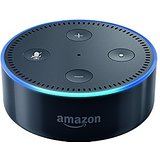
The hockey-puck-size Echo Dot 2 does everything the bigger, heavier  Echo will do, and its microphone is more sensitive. It also costs $40 less than the old Dot. Alexa works flawlessly on the Dot, independently from the bigger Echo. Its sound isn’t great, but it will connect either through bluetooth or a cable to external speakers.  Since space is tight in my home office, I bought the $100 UE Boom, version 1,  to stream my music. Folks with a more powerful sound system will be able to get even better sound from the Dot.

Meet the Echo Dot, Alexa’s little sister

If you subscribe to Amazon Prime, you already know that for $99 a year, you get free two-day shipping on orders from their massive catalogue of products that range from lawn mowers (bought one today) to their wide range of electronic devices, such as the new $50 Echo Dot 2 (ditto). If Amazon had a paper catalogue, you’d need a forklift to bring it in from the mailbox.

Meet the Echo Dot

You also know that you get free movies and TV shows on Amazon Prime. (Newer movies and shows still cost from $2 to $5 or more.) If you don’t already have Prime, you’re missing out on one of the greatest bargains of the century.

But it’s the 2nd generation Echo Dot that I’m gushing over today. Its big sister, the $180 Amazon Echo, features a humble expert called Alexa. Ask her for the forecast for L.A. for next Tuesday, and in an instant, she tells you that it will be a balmy 76 degrees and sunny.

The Echo hooks up to a wireless network and will find music for your taste, and turn on the dining room light, if, as I do, you have smart-home hardware such as the ones Insteon makes.

With its new music streaming service, for $8 a month for Prime members, Alexa will find millions of songs for you, even if you know only some lyrics and not the title of the selection.

The hockey-puck-size Echo Dot 2 does everything the bigger, heavier  Echo will do, and its microphone is more sensitive. It also costs $40 less than the old Dot. Alexa works flawlessly on the Dot, independently from the bigger Echo. Its sound isn’t great, but it will connect either through bluetooth or a cable to external speakers.  Since space is tight in my home office, I bought the $100 UE Boom, version 1,  to stream my music. Folks with a more powerful sound system will be able to get even better sound from the Dot.

The Echo Dot works independently from the bigger Echo, so different music can be played in different rooms around the house. For folks with different musical tastes and different alarm wakeup times, it’s not too far-fetched to make use of a bunch of Dots.

Like the bigger Echo, Uber rides can be arranged, pizza can be ordered and, of course, Prime members can order  products from Amazon (“Alexa, order an Echo Dot,” for example).  Echo has amazing hearing. Summon Alexa from across the room, and she’s at your service. Unlike the portable Amazon Tap, which  requires a tap on the microphone button, the Dot isn’t portable; it’s tethered to a power outlet.

I still have some reservations about privacy. In a troubleshooting call to Amazon about lights that wouldn’t come on when I asked Alexa to turn them on, I discovered that Amazon knows which home-control devices I have, and when they’re programmed to work. They also know my musical tastes and can tell me the last commands I used. But that hasn’t stopped me from ordering both the big and small Echos.

Like all Amazon-branded gadgets, the Dot is packaged beautifully and efficiently. Setup, via a smartphone app, couldn’t be simpler, and, unlike some gadgets from other manufacturers, the quality control is excellent; the Dot worked right out of the box.

Roku’s 4K Streamer is a Movie Lover’s Dream (Popcorn Not Included)

Say goodbye to cable

Every time I sit down to pay my cable bill – and I have to sit down when I open the bill – I wonder why I’m shelling out so much for channels I almost never watch. There are only a half-dozen shows that I watch on my 225-channel cable plan, including HBO, Showtime and Cinemax, yet I’m paying dearly for all of them.

Say goodbye to cable

Every time I sit down to pay my cable bill – and I have to sit down when I open the bill – I wonder why I’m shelling out so much for channels I almost never watch. There are only a half-dozen shows that I watch on my 225-channel cable plan, including HBO, Showtime and Cinemax, yet I’m paying dearly for all of them.

A small device with a giant gateway to thousands of streaming channels

What I do watch are streaming programs from Amazon Prime and Netflix. If I want to watch a current movie, I certainly wouldn’t go to a premium channel such as HBO to check out their selection of old content and one-star reruns. I’d buy it on Amazon.

Streaming decent-quality video requires a high-speed wireless connection from your Internet service provider. In my tests, anything lower than 50 bits per second (bps) can cause jerkiness, buffering and pixelation. You don’t want that.

I recently upgraded my wireless connection to super-fast 300 bps, and I bought a 4K TV set, which is the new standard, for this week anyway. But my Roku Streaming Stick ($49), a device that’s capable of streaming in high definition, but not 4K, is so last week. 4K has several times the resolution of most high-definition programming.  Since my cable company doesn’t broadcast anything in 4K, I was curious about how Roku’s high-end device, the Ultra, would perform on streaming services that do have 4K programming.

Beautifully. I chose a program that Amazon is streaming in 4K (“The Patriot”), and pretty much I was blown away. Roku has access to 3,500 free and paid channels. But maybe I should back up and explain some things.

The Roku – there are many models of them, with different quality playback – is a small device that acts as a sort of gateway to thousands of TV channels. Acorn, one of the best, can be accessed through the Roku device and costs $5 a month. The Roku is controlled by a separate remote. (It also can be controlled by a universal remote.) You can choose the channel you want by browsing the Roku home screen. Netflix and Amazon are two of the most popular channels because they offer movies, TV shows and original content. Netflix costs between $8 and $12 a month  — a bargain considering how much content is offered. For example, “House of Cards” and “The Crown” are Netflix originals that are included in Netflix’s monthly charge.  Amazon Prime Video is included in the same account that gives consumers free shipping. It’s an incredible bargain if you do a lot of watching or buying. In addition to older movies and TV shows, which are free, fairly recent-release movies cost about $6 extra on Amazon. If you have a large, flat-screen TV, $6 is a bargain – no parking costs, astronomical ticket prices and expensive popcorn. When you’re in your private screening room, just toss a popcorn bag into the microwave.

I’ve been using Roku players since they first came out. I’ve had Rokus 1- 4, the streaming stick, and I just finished testing the $129 Ultra model. Two cheaper, models, the Premiere ($80) and the $100 Premiere+, also stream 4K content. For most people, the Premiere is more than adequate.

For the extra $50 between the Premiere and the Ultra you get an Ethernet port, which is handy if your wireless signal is weak; a micro SD slot to play back content directly through the device – handy if you’re streaming home movies or photos; a remote that features voice search (“Go to Netflix.”); a point-anywhere remote and a remote finder; ear buds; and gaming buttons on the remote. Both have fast processors and dual-band wireless capability. The Premiere+, which is the next step up, has a micro SD slot and a point-anywhere remote. If you can live without those, you’ll still be getting a top-notch 4K player with the Premiere. I bought the Premiere+ for its micro SD slot.

But wait, there’s this nerdy caveat:

Some low-end 4K TV sets don’t have an HDCP 2.2 HDMI port. It’s not important what that means, but sadly, if that port is missing — it should be marked on the back of the TV set — you can’t get 4K quality. If your TV doesn’t have that kind of port, you’d be wasting your money on a Premiere, Premiere+ or Ultra Roku. Your best bet then would be a Roku Streaming Stick ($50), which does a fine job of playing high-definition content.  I used the Streaming Stick on another high-definition TV, and the picture quality was very sharp. The Streaming Stick plugs directly into an HDMI port – no cable is needed.

Speaking of cables, if you buy the Premiere, Premiere+ or Ultra Roku, you’ll need a second-generation HDMI cable to connect the Roku to the TV set. Amazon sells them for under $10.

HDMI, HDCP 2.2, 4K, micro SD, 1080p or 1080i – watching TV has become complicated. Just ignore the literal meanings of the alphabet soup, and sit back and enjoy your TV set and streaming player. If you’re looking for a great 4K streaming device, any of the three 4K versions Roku offers will give you a TV picture that’s amazingly sharp. Just be sure you pay attention to the alphabet soup. If you don’t have the latest model TV set, a 4K streaming player like the Roku would be a waste of money.

Is the Ring Doorbell More Than a Gimmick?

A doorbell that shows you who’s ringing it

It’s vacation time at a rental house overlooking the Pacific Ocean. A synthesized bell rings on my laptop computer. The UPS guy is at my home’s front door, 250 miles away. I tell him, remotely, to leave the package on the other side of the gate, and he complies. For all he knows, I’m at home, and not hundreds of miles away and enjoying the cool breezes and the relaxing sound of the surf.

A doorbell that shows you who’s ringing it

It’s vacation time at a rental house overlooking the Pacific Ocean. A synthesized bell rings on my laptop computer. The UPS guy is at my home’s front door, 250 miles away. I tell him, remotely, to leave the package on the other side of the gate, and he complies. For all he knows, I’m at home, and not hundreds of miles away and enjoying the cool breezes and the relaxing sound of the surf.

You’re always home

What’s going on here?  An innovative security device called Ring is doing its job.

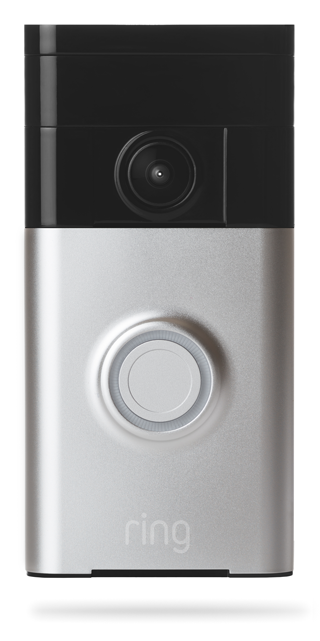
Ring  has been installed where my low-tech doorbell, capable only of activating a bell, once stood. Ring, a $200 device, is a doorbell, and much more.

Ring works initially on a wifi network. With the optional ($30) a year component, it stores footage, including sound, anytime there’s motion detected at the door where Ring is installed. But once Ring’s sensors detect motion, an alert is triggered on the faraway PC or smartphone. The footage can be viewed immediately or later.

My younger son was watching our house while we were on vacation and taking in the mail and newspapers. Each time he came to the door, Ring would notify me that there was motion detected on its fish-eye camera. I could hear him talking to me (“Hi,Dad, how’s the surf?”) I’d answer, “The tide is in and the sunset is beautiful!”

The mailman also makes his appearance on his daily rounds. I totally confuse him by thanking him over Ring’s remarkably good speaker. Soon, though, he gets used to it, and saids that I was welcome.

Some folks call Ring a gimmick, but when it’s used as part of a home-security system, it makes even more sense. I recently replaced my home-monitoring system with one that’s not wholly dependent on my wifi setup. Instead, it uses a cellular chip as a backup that takes over when the wifi component fails.

Most burglars understand that a home-security system such as my new one can be defeated simply  by cutting the cable connection and the power. However, my new system has a backup battery that can last as long as three days.

There was a time when my security system consisted of a big ditsy standard poodle who barked at her own shadow, the mailman and anyone or anything that approached the house, including the occasional tree branch that fell to Earth. Potential burglars could hear him all the way down the block, and in the 10 years that we had him, no one dared to break into our house, not that we have much to steal. Sadly, we had to give Rufus to a new owner when our grandson developed an allergy to him. Our neighbors were delighted when he was finally gone, too. That’s when we started looking into other ways to protect our home.

When a new security monitoring company offered us a free Ring, we were sold. The only downside is that some people don’t like the idea of being filmed when they come to the door.

Is the ring a gimmick or an integral part of a security system? I’m convinced it’s the latter. It’s almost as good as a barking poodle.

Light Up Your Life On Wi-Fi

Never be in the dark again

In the developing world of smart home devices, there are several that will light up your life. One of them, the Insteon package of electrical plugs and switches, can be used to set up lighting zones in your house.

Never be in the dark again

In the developing world of smart home devices, there are several that will light up your life.

One of them, the Insteon package of electrical plugs and switches, can be used to set up lighting zones in your house.

The Insteon works on wi-fi networks, wherever you are.

Most smart home products turn lights and other devices on and off at different times in different rooms, based on whether a person needs to be in the room. There’s no forgetting to turn off the lights, either: they’re programmed to turn off after I go to bed, except for one inside light and the outside light.

So far, the system has worked reliably.

The Insteon device uses a hub that is programmed to talk to the various plugs and wall switches. Setup is initially complicated, and it took awhile to figure out how to program the hub in the iPhone app, which communicates with the hub on a wi-fi network.  It can also be programmed on an Android phone.

Like similar devices, the Insteon uses small attachments for electrical outlets. A lamp plugs into the attachment, which is plugged into the wall. Two or more lights can be controlled with one adapter using a standard extension cord. Wall  switches require an extra wire that may be missing in older homes.

I hired an electrician to do the job. Switches and plugs in two rooms, for seven outlets and wall switches, set me back $400, including labor. Simple timers, the kind you might find at Home Depot , that are easy to self-install and use, would have set me back about $75, but what fun is that for a gadget freak?

The Insteon hub is compatible with the Amazon Echo. I ask Alexa, Echo’s helpful assistant, to turn off the dining room light, and she complies without complaint.

In my aversion to leaving well enough alone, on Cyber Monday I asked Alexa to tell me about some deals that were available on Amazon. She came up with the TP-Link Smart Wi-Fi Plug for $13 (normally $30 to $50 on Amazon), which, like the Insteon setup, works with Alexa. The Smart Plug works on wi-fi networks, wherever you are. Like the Insteon devices, it plugs into the wall, and a lamp plugs into the device. I tested only one, with a desk lamp. It worked as advertised.

The Smart Plug can only be controlled fully from an iPhone or Android phone; trying to use it on an iPad allows for turning the switch on and off only.

There are icons for programming the switch. Icons can be named; I assigned an icon showing a person coming home to turn on the Smart Plug. Another icon was programmed to turn the TV on. Each device has its own icon. The icon has to be tapped to turn on a light, for example, which, I suppose is handy when you have to enter a dark room. But for my money, that’s what light switches are for. Gadget freaks will prefer the coming-home icon. I count myself among them.

But, like the Insteon devices,  the Smart Plug has its limitations. It can’t turn some appliances on, because they need to be manually activated.

It’s much easier to program the Smart Plug compared with the nerdy Insteon. Both are programmed with a phone, but the Smart Plug uses iPhone-type clocks; setting on and off times in the Insteon app requires more steps.

The Smart Plug has a random on-off program that’s handy for when you’re away from home. There’s also a countdown features that turns lights and other devices on and off. I suppose you could use the feature when you leave your home and need a few extra minutes of light.

The Smart Plug is slicker and the software is more polished, but when darkness descends, the Insteon works as advertised, too. If you went with Insteon, I’d recommend staying with it. Both devices cost about the same; if you’re not handy, you may need to hire an electrician to set up Smart Plug wall switches. If you want devices that are easier to program, I’d recommend the Smart Plug to light up your life.

For more information, visit: http://www.insteon.com and http://www.tp-link.com.