

Photo Book Showdown: Apple vs. Shutterfly

Making Photo Book Memories

Among  the priceless heirlooms that my parents passed on to me were albums overflowing with baby photos, and pictures of school plays, graduations and other milestones in our lives. But photos tend to fade, they stick to album pages and won’t detach without tearing them, and it can be difficult to determine when the photos were taken.

Making Photo Book Memories

Among the priceless heirlooms that my parents passed on to me were albums overflowing with baby photos, and pictures of school plays, graduations and other milestones in our lives. But photos tend to fade, they stick to album pages and won’t detach without tearing them, and it can be difficult to determine when the photos were taken.

These memories won’t fade.

To help preserve important photos, I’ve been carefully detaching them from albums and scanning select photos with my workhorse Epson GT-S50. Many of the photos are in black and white, some of the color shots are faded, and all of them are priceless, which is why I’m digitizing them and copying them onto DVDs. Of course, photos taken in the last dozen years are digital already. The chore there is to hunt through each session for keepers. I save them by date, and give them descriptive names, such as “Max’s 3rd birthday party.”

But I’m of an age that I still like dusting off the albums on a rainy Sunday afternoon. I have a lot of company, it seems, as at least two photo-album services demonstrate. Shutterfly and Apple have services in which photos are uploaded, then placed, with captions, on virtual pages on a Mac or PC. Depending on your creativity and the quality of your digital photos, the printed results can surpass anything in a traditional photo album. You can even have the services design books for you.

I’ve used both services. Apple’s hardcover book costs about $30 for 20 pages – 99 cents for each additional page. Shutterfly charges $39 for a 20-page standard-size book — $1.49 for extra pages —  but often that’s discounted. On the day that I wrote this column Shutterfly was discounting everything on its website (www.shutterfly.com) by 50 percent, including books, greeting cards, mugs, stationary and even throw pillows with photos on them.

Following are each book’s pluses and minuses:

Shutterfly’s interface is friendly and intuitive. Photos are uploaded to their server, and then placed on pages. There are dozens of templates, page layouts and text styles. Once photos are added , they can be dragged and dropped on a page. Several layouts had a yearbook look, with space for up to 25 photos and text blocks on a page.  Templates range from family themes – vacation, reunion, baby No. 1 and many more. It was dismaying to note that instead of paying $6,000 for the photo shoot and an album of my kid’s wedding, I could have hired a photographer by the hour and composed a stunning book from his images at a fraction of the price.

With Shutterfly, one template and theme would have made a perfect menu, another a recipe book. Others include templates for travel, sports and one I decided to get for my granddaughter – learning the ABCs, complete with photos of her pre-school parties, along with her parents and siblings. There are so many themes, templates and page layouts the choices can be overwhelming. But if you know what you want, you’ll be able to compose a stunning book with Shutterfly. I composed a Daddy and Me 20-page book about my son and grandson in about two hours, and spent another hour writing captions. The resulting hardcover book, which I received in less than a week, looked good enough, but could have looked better if I hadn’t relied on cell phone photos. The quality of the book is very much dependent on the quality of the photos.

The Apple book (www.apple.com) starts with a different approach. Photos and other graphics have to be imported into the Mac’s “Photos” program before they can be placed on a page. That done, there are choices of soft cover, hardcover, square, classic and oversize coffee table books. There are only a few dozen themes, and each photo has a choice of 12 effects, including one that changes color photos to monochrome. As I progressed through dragging and dropping photos on the template I chose, I realized that I didn’t much like that template theme. Changing it was easy enough, and I experimented until I liked what I saw. Each page has choices of how many photos I wanted to place on them, and I could crop photos and nudge them in different direction in the frames.

While I could change fonts for headlines and captions in the Apple program, the boxes for them are inflexible. If I got wordy, I’d have to downsize the type size, which made the text block look out of place. I finally decided to use shorter captions and headlines so that they looked consistent, font-wise, from page to page.

Both the Apple and Shutterfly books looked nice. I did like the dramatic double-page spreads both books have, but somehow the Apple book, with its classy dust covers, seemed more elegant than the Shutterfly book.

Which service should you use for your coffee table album? Both will do the job. Shutterfly has more templates, but the Apple book’s templates do a good job of covering most occasions, too. On those rainy Sunday afternoons, either book will bring back memories, and the photos that aren’t pasted onto the pages won’t fall out. Unlike memories, they won’t fade, either.
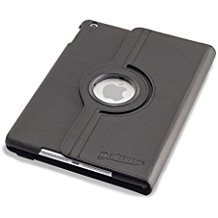
Deviceware iPad Case is a Tablet Reader’s Dream

An A-Plus for Devicewear and Amazon

The hunt for a case for my new iPad 2017 wasn’t difficult. I had a Devicewear Ridge model for my older iPad and was happy with it. But since I do a lot of reading on my iPad, I wanted the model that rotates into a vertical position.

An A-Plus for Devicewear and Amazon

The hunt for a case for my new iPad 2017 wasn’t difficult. I had a Devicewear Ridge model for my older iPad and was happy with it. But since I do a lot of reading on my iPad, I wanted the model that rotates into a vertical position.

Devicewear’s rotating case is a bit bulky, but it’s handy if you do a lot of reading on your iPad.

Devicewear makes such a case, and when I saw it on Amazon for $30, with free shipping, I clicked on the “place your order” button, without realizing that the case was sold and shipped directly by Devicewear.

Amazon has several ways of buying: “ships and sold by Amazon,” “fulfilled by Amazon” and “ships and sold by (the merchant, but not by Amazon).”

“Ships and sold by Amazon” is the best way to buy, since it includes Amazon’s easy return policy. If the item is defective, Amazon will replace it or offer a refund. In most cases – except when a buyer simply changes his mind – Amazon will send a return shipping label, and in some cases, it will dispatch a UPS driver to pick up the item.

“Sold by (merchant), Fulfilled by Amazon” is a bit trickier. In some instances you’ll have to deal with the seller directly, but for the most part, Amazon will authorize a free return if the item “isn’t as advertised” or defective. I’ve never had a problem returning an item to Amazon, even though it’s only fulfilled by them.

The last method, “ships and sold (by the seller),” is much trickier. If an item is defective or not as advertised, the buyer has to deal directly with the seller. Amazon comes into the picture only if a buyer isn’t satisfied with the seller’s response.

Enter my new Devicewear rotating iPad 2017 case. The cover didn’t close all the way, which meant that the sleep function didn’t work. Closing the cover should do the same thing as manually putting the iPad into sleep mode by pressing the power button. But it didn’t.

So, I went to Devicewear’s website, stated my case in a “contact us” form and within 24 hours I got a response by email. They wanted a picture of the case that didn’t close and my Amazon order number. Within another 24 hours Devicewear offered to replace the case (after testing it to make certain it closed all the way). Wary of the rotating case, because of its bulk, I asked for another model. Which arrived a few days later.

Now it’s true that buying directly from Amazon would have been less of a hassle, but solving my predicament directly with the seller was a relatively positive experience.

The new case works as advertised. It closes all the way and puts my iPad into sleep mode when I close the cover and wakes it up when I reopen the cover. Unlike the rotating case, it’s slim and sleek. It gets 4.5 stars from more than 5,300 buyers on Amazon.

I’ve praised and savaged companies’ support in past columns and meted out grades. Devicewear, which makes all kinds of cases for different devices, gets a solid A-plus for handling my problem quickly and efficiency. Amazon, by the way, also gets an A-plus for its return policy and free two-day shipping for Prime members.

Honeywell’s Wi-Fi Thermostat is a Blast

A Cool Thermostat

For more than 15 years I’ve lived with a perfectly good thermostat. It had eight  separate programs a day for heating and air-conditioning.

A smart and cool thermostat

For more than 15 years I’ve lived with a perfectly good thermostat. It had eight  separate programs a day for heating and air-conditioning.

Cool & smart–this digital thermostat can be controlled from a PC, Mac or smart phone.

In summer, I’d set the air-conditioner to come on at 6 p.m., a half-hour before we returned home. During the day, when no one was home, it would be set at 85 degrees. Why cool an empty house? In winter, I’d set the heat to come on at 6 p.m. No sense in heating an empty house, either.

Setting the fan to come on at different times was child’s play. For its day, the Honeywell thermostat was cutting edge.

Fast-forward a decade and a half, and again I have a cutting edge Honeywell thermostat. This one has a colorful touch pad, the same 56 settings a week (four separate daily settings for heating and air-conditioning), along with settings for the fan, which circulates filtered air throughout the house, just as my old one did.

The new color-screen thermostat, which costs $129 at Amazon, can be controlled from a PC, Mac or smart phone over a wireless network. Call up the Honeywell program, and there’s a simulation of a thermostat on the screen. Temperatures and times can be set simply by clicking on up-and-down arrows. The new thermostat has three setting for fan: on,  the best method for continuously circulating filtered air; automatic, which comes on only when the heater or air-conditioner come on; and circulate, which I use at night. Every hour or so, the fan comes on – out goes the stale air, in comes the fresh air.

From everything I’ve read about the thermostat, installation is also child’s play. It’s not. If, as I am, you’re technologically challenged, it’s best to hire a professional . The person I hired charged $100, and earned his money. Wires – and there are a lot of them – have to be unattached from the old thermostat to tiny corresponding terminals on the new one. The installer wisely took a digital photo of the old thermostat’s wiring, and used the photo to guide him for the new one. Then he had to climb into the attic to fiddle with the heater. A trip to the air-conditioner unit came next, and even then things didn’t work quite right. So he retraced his steps.

When finally he turned the power back on, the thermostat took about half an hour to get used to my heating and air-conditioning system. Something was amiss, though, and he snapped the front of the thermostat off to change the wiring. I couldn’t have been happier that he was the one using the screw driver. After some more fiddling, both the air-conditioner and heater did their job independently.

I had read enough reviews of the thermostat to be forewarned that this device is smaller than most, and much smaller than my old thermostat. That would mean an ugly hole in the wall, along with three or four different paint colors along the edges of the hole. So I ordered several new face plates from Amazon, one of which fit perfectly for hiding the ugly areas around the thermostat.

Now it was time to program the thermostat on the Windows PC. (It also works on Macs.) Outside and inside temperatures and humidity are displayed on the virtual thermostat, along with a five-day forecast that’s fairly accurate. Heating and cooling can be set  to switch automatically as temperatures fluctuate in the house, or either the heating and cooling can be set separately, but only if there are 3 degrees separating those settings. For my purposes, the automatic setting works best.

I set all four time periods, which can be changed easily, for 6 a.m., 10 a.m. (when the fan comes on, but neither heat nor air-conditioning comes on), 6 p.m., when we return home, and midnight, when everybody is tucked in.

It’s easy to override any of the settings – time, heating, cooling and fan – from either the physical keypad or the virtual one on a PC. The override lasts until the next time period is reached.

If you’re going on vacation, there’s a hold function that will keep temperatures at pre-set levels for the duration. Or you can just set temperatures to 85 for air-conditioning, for example, and 55 for heating on all 56 programmable time slots.

 I tested the room temperature and found that the new Honeywell was 2 degrees off. A quick call to Honeywell tech support (less than five minutes on hold), and I was able to adjust the thermostat for the discrepancy.

So, again I’m cutting edge. Well, not quite. Both Honeywell and a company called Nest make thermostats that adapt to a person’s lifestyle and adjust themselves accordingly. They’re hot products that are really cool!

Free tech support can be spotty. I couldn’t connect the thermostat to wifi, and, while technicians will spend up to an hour trying to help, I basically solved the connectivity issue myself.

Fear and Convenience with Amazon Echo

Is there an echo in the room?

More than 3 million Amazon Echos  have been sold; I got mine as a Father’s Day gift. The $180 device is about 9.5 inches tall, 3.2 inches at the round base, and weighs a bit more than 2 pounds.

Is there an echo in the room?

More than 3 million Amazon Echos have been sold; I got mine as a Father’s Day gift. The $180 device is about 9.5 inches tall, 3.2 inches at the round base, and weighs a bit more than 2 pounds.

If  I need to know where the closest pizza joint is, I summon Alexa, the clear voice of the Echo, with “Alexa, where’s the nearest pizza restaurant?” I know Alexa – whose voice is natural, and doesn’t sound as if it’s computer generated — is listening because a blue light shines on the top of the Echo. Alexa responds in seconds, “The nearest pizza  restaurant is …” She’ll give me the name of the restaurant, its address and phone number and tell me if it’s open.

Alexa-Echo-Harold's_Helpware-Harold_Glicken
Is the Echo listening to more than my commands?

It works on my home’s wireless network,  and can be plugged in anywhere. It can hear me from adjacent rooms just fine. After a very easy set up (on an Apple, Fire OS or Android device), it knows where I live and tailors answers – in lightning speed – for my location.

I threw it a curve by asking her about the weather in Saskatoon, Saskatchewan. She not only gives me the current temperature, but adds the forecast for the day, including high and low temperatures. For no good reason I’m also concerned that Saskatoon may be in store for a heat wave, so I ask for the forecast for two days out.

Relieved that the weather will remain moderate, I ask Alexa to find me a book I’d like to read, but I want someone to read it for me. Alexa finds the book, hooks me up with the Amazon bookstore, puts the charge on my account, and the book comes alive. I also could summon Alexa to order something for me on the Amazon website.

I like to hear classical music when I work, so when I discovered the vast free music library that comes as part of my Prime account, I created playlists online from my PC, gave the playlists names and asked Alexa to play them. The music sounds remarkably good, too – the Echo has a 2.5-inch woofer and a 2-inch tweeter.

When I want to turn on a light that’s controlled by my Insteon smart home hub, I simply summon Alexa and ask her to turn on my dining room light or any other device that it can connect to, including thermostats. It’s almost as easy, but far more fun, than tapping the light switch.

I’ve only scratched the surface of what Alexa can do. But there’s one concern, and it’s not that the futuristic film I saw some 60 years ago – in the frostiest years of the Cold War – didn’t realistically portray what a device like Alexa can do. At the risk of being a killjoy, what concerns me is this: Is the Echo listening to more than my commands? Are my private conversations and commands being transmitted to a massive database in the cloud, and entered into my personal file, there to be analyzed by government snoops? So I asked Alexa if she is spying on me.

“I only send audio back to Amazon when I hear the wake word. For more information, see the privacy notice.”

Still, I ask Alexa not to spy on me.

“I’m sorry,” she says, “but I can’t find the answer to the question I heard.”

Neither can I.